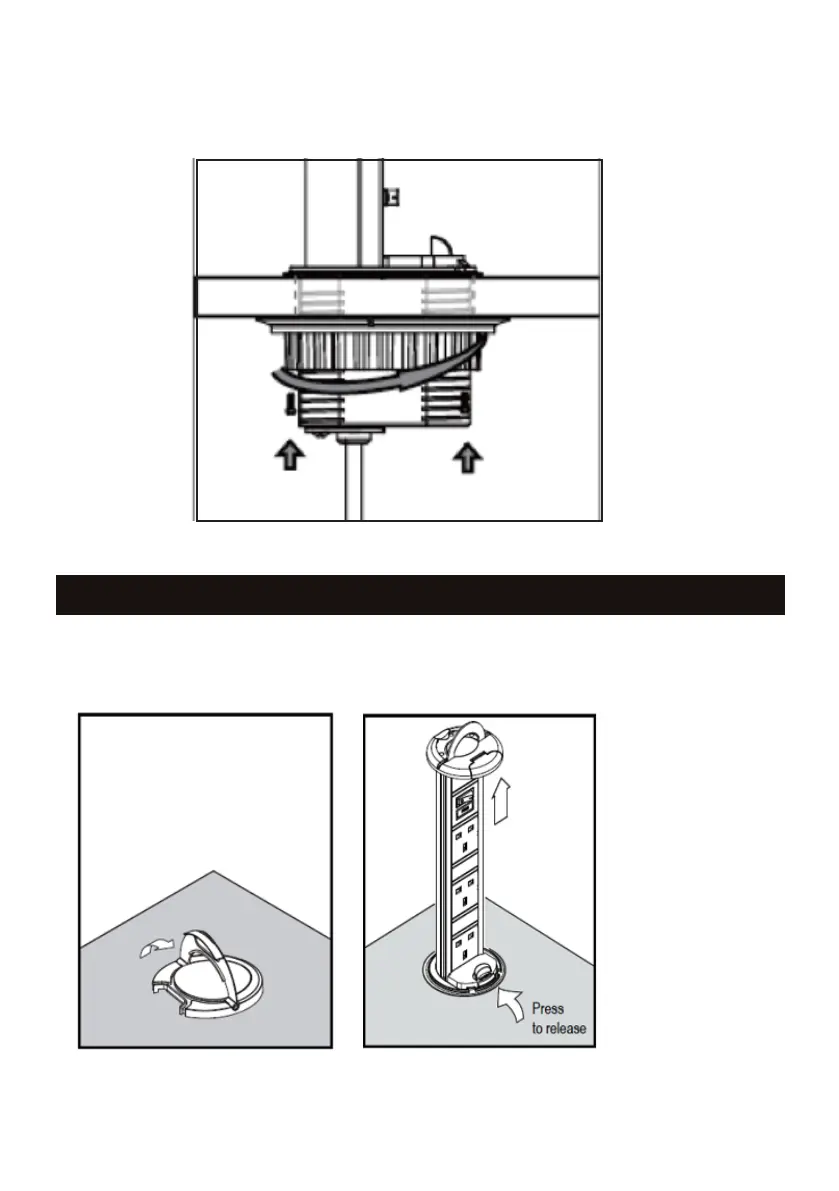
• Remove the mounting collar and rubber gasket, by rotating anti-clockwise
• Insert the product through the hole
• Put product in desired orientation and insert rubber gasket to bottom. Tighten the mounting collar
to the underside of the surface (see Fig 2)
• To raise the product, gently lift the handle on the top cover. Raise until it clicks, this means its
locked in position (see Fig 3a)
• To lower the product press the release button (see Fig 3b)
• Connect to mains supply via the pre-wired cable and plug
OPERATION
Lift the handle and
pull product up
Fig 2
Fig 3a Fig 3b



 To Next Page