7
OPENING PROCEDURES | POLL PAD ICONS
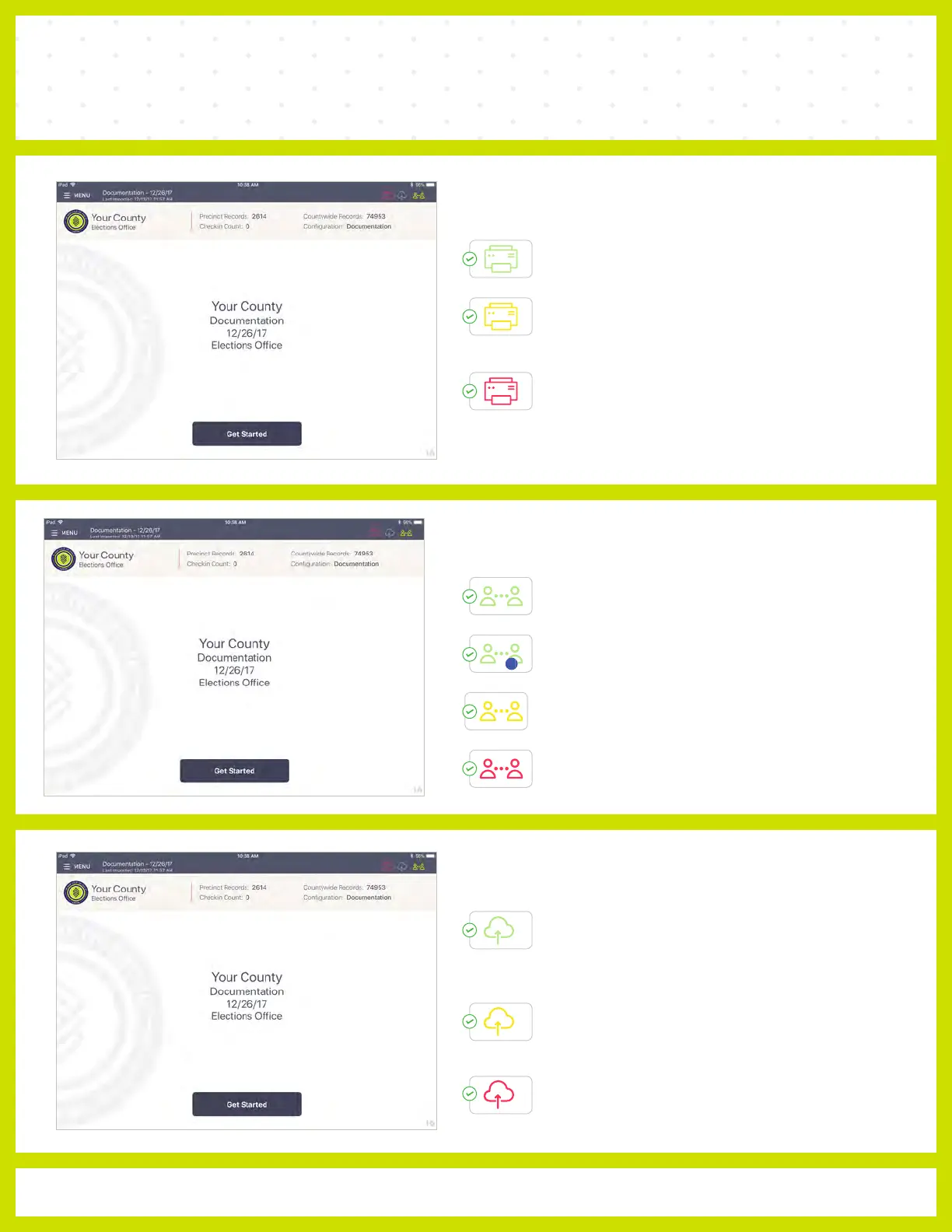
PRINTER ICONS & COLORS
Poll Pad is paired with the printer.
Poll Pad recognizes the printer and
is currently in the process of pairing
with the device.
Poll Pad is not paired with the
printer. Check that all power cords
are securely fastened.
MULTI-PEER ICONS & COLORS
Poll Pad is currently connected and
synchronizing with the other precinct Poll Pads.
The number inside of the blue circle indicates the
number of precinct units the Poll Pad is connected to.
Poll Pad recognizes the presence of other precinct
Poll Pads but is not connected or synchronizing with
these units.
The Poll Pad is currently disconnected and not
synchronizing with the other precinct Poll Pads.
2
CLOUD SYNC ICONS & COLORS
Poll Pad is currently connected and
synchronizing with the Central
Election database.
Poll Pad is in the process of connecting to
the Central Election database.
Poll Pad is currently disconnected and not
synchronizing with the Central
Election database.



 To Next Page