26
PROCESSING VOTERS | IMPEDIMENT DECLARATION
VOTER
3 VOTER OATHS
❶ LOOK UP VOTER
Lookup the voter's record using Manual Entry instructions.
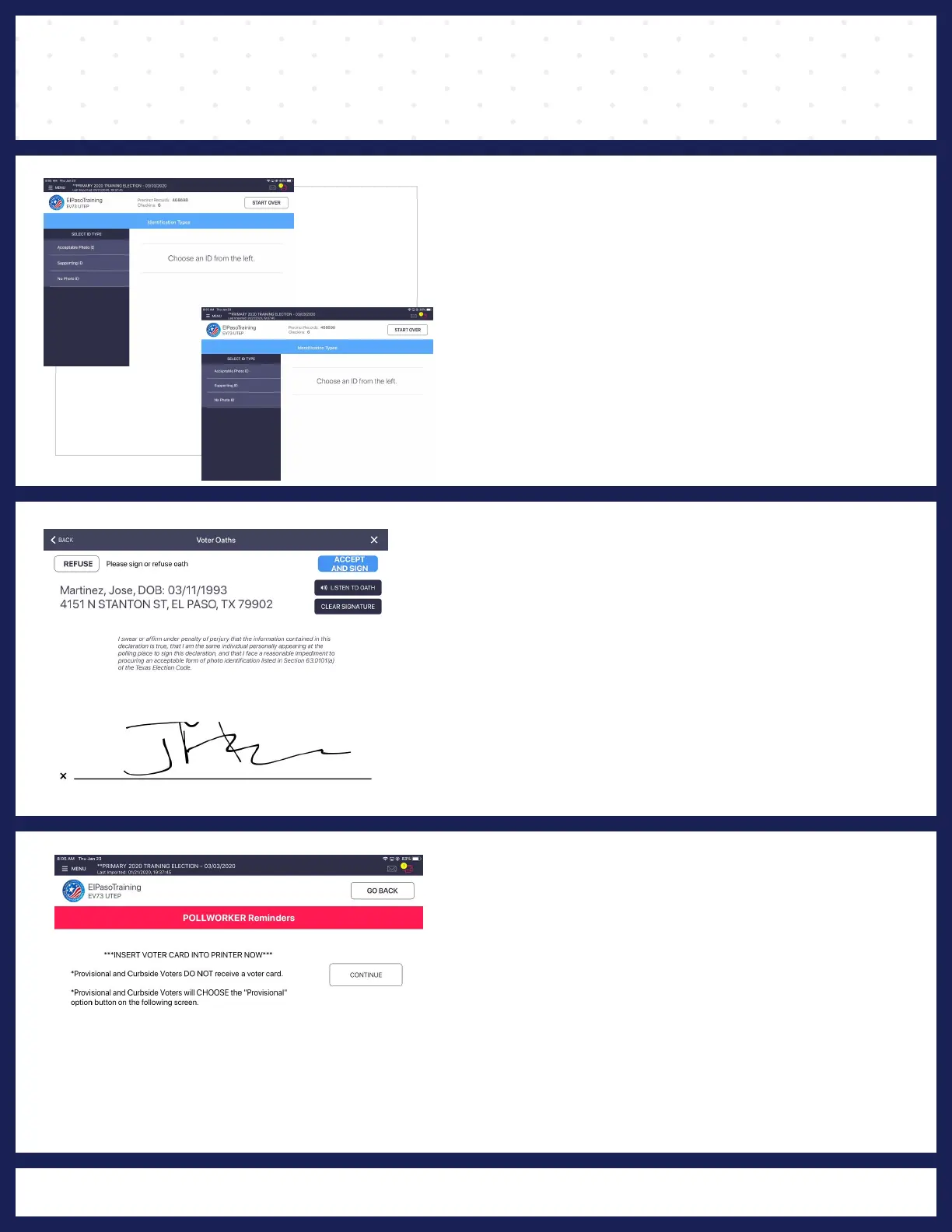
❷ IDENTIFICATION TYPES
"IDENTIFICATION TYPES" screen displays and
you will click on "SUPPORTING ID" and then
"PROCESS VOTER."
"VOTER OATHS" screen will display, rotate screen
for voter to read
and sign oath. Rotate back and
click on "ACCEPT AND SIGN."
4
POLL WORKER REMINDER
"POLL WORKER REMINDER" screen displays
and instructs Poll Worker to insert activation card
into the printer, but instead Poll Worker will press
"CONTINUE" button.
voters
DO
PROVISIONAL and CURBSIDE
NOT receive a activation card.



 To Next Page