Texas | Poll Pad Guide
PROCESSING VOTERS | ABSENTEE SENT
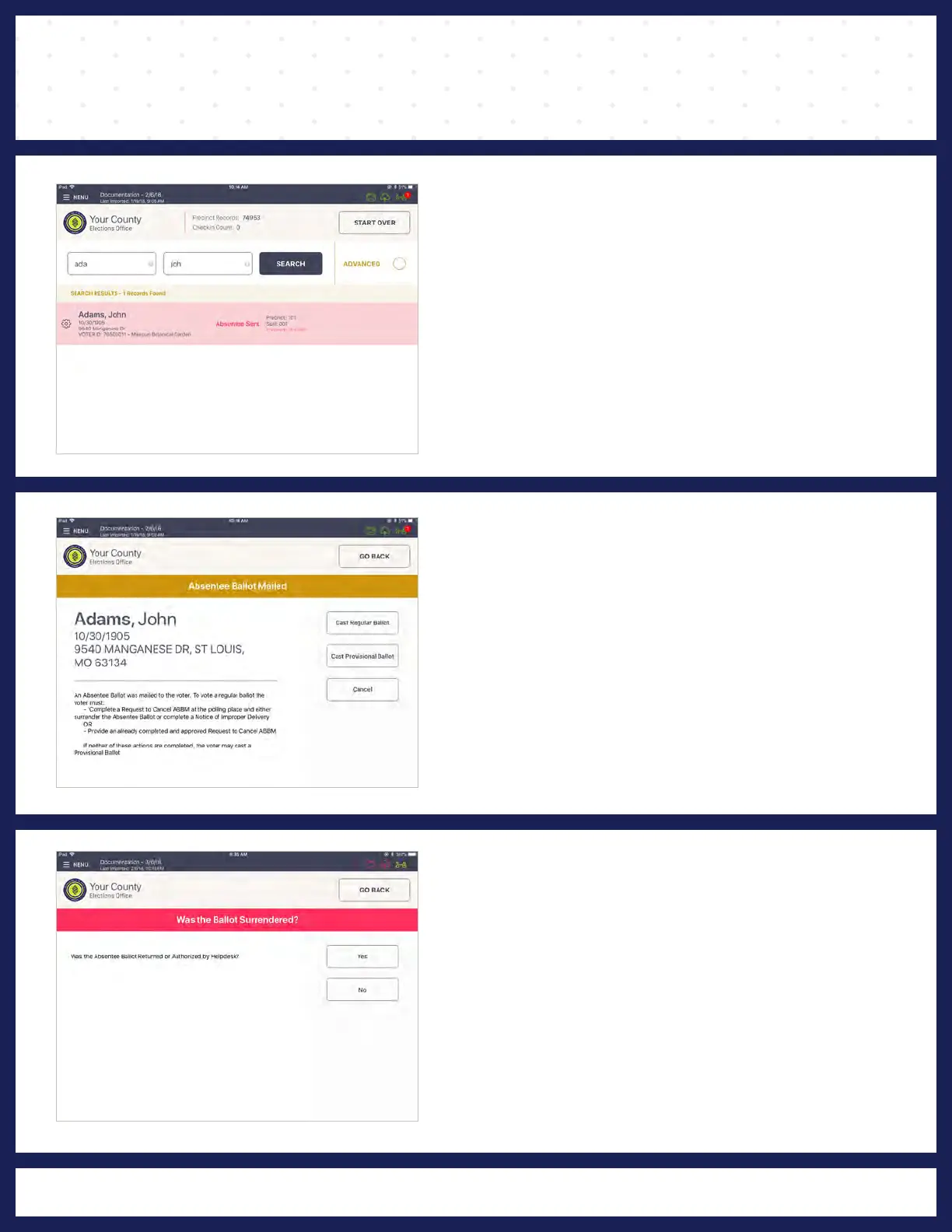
❷ ABSENTEE BALLOT MAILED
A pop-up with options will appear.
If criteria is met, select Cast Regular Ballot.
If criteria is not met, select Cast Provisional
Ballot.
❸ FOLLOW PROMPT
After surrendering Absentee Ballot and providing
a Request to Cancel ABBM Form, press Yes.
If there is no ballot to surrender, or a Request to
Cancel ABBM Form is not provided, press No.
❶ LOOK UP VOTER
Lookup the voter's record using either Scan
Barcode or Manual Entry instructions. Voter record
will be highlighted red, with a voter status of
Absentee Sent. Select voter record to proceed.
29



 To Next Page