Service provider technician - MobileTech app installation
1. Log into the MobileTech app.
2. Find the customer account.
3. Tap Quick Actions.
4. Tap Add Device.
5. Tap Video.
6. Follow the on-screen instructions.
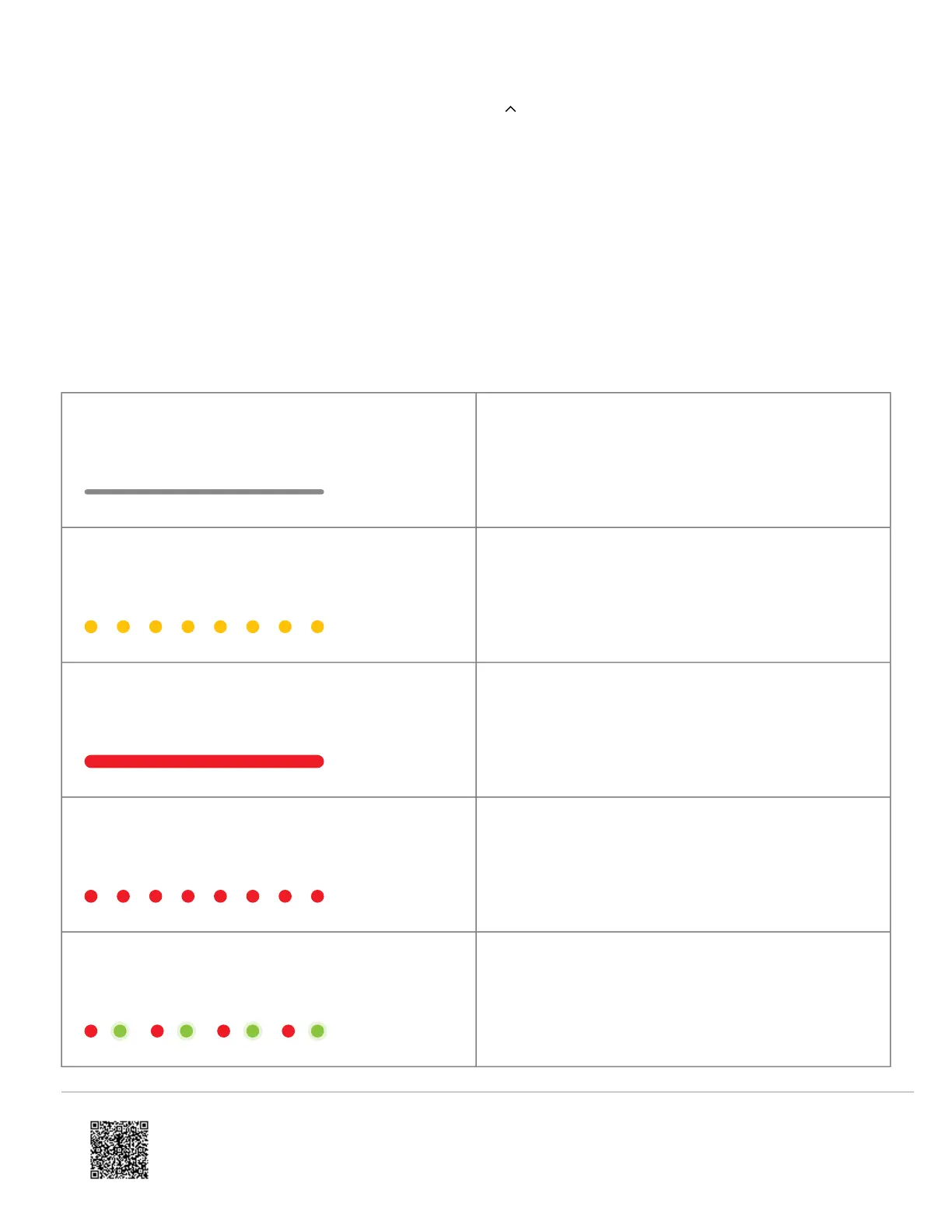
LED reference guide
LED pattern Description
Off
Power off
Blinking yellow
Camera power cycling (press and hold button for 40-45
seconds)
Solid red
No local or Internet connection
Blinking red
Power on, camera booting
Alternating red and green
Camera resetting to factory default (press and hold
button for 45-50 seconds)
https://answers.alarm.com/Partner/Installation_and_Troubleshooting/Video_Devices/Alarm.com_Video_Doorbell_(ADC-VDB7…
Updated: Thu, 08 Jun 2023 16:11:26 GMT
12


 To Next Page