EasyManua.ls Logo

KNS Ku-BAND TX - User Manual

KNS Ku-BAND TX
123 pages
Print Icon
To Next Page IconTo Next Page
Loading...
INSTALLATION AND OPERATION MANUAL
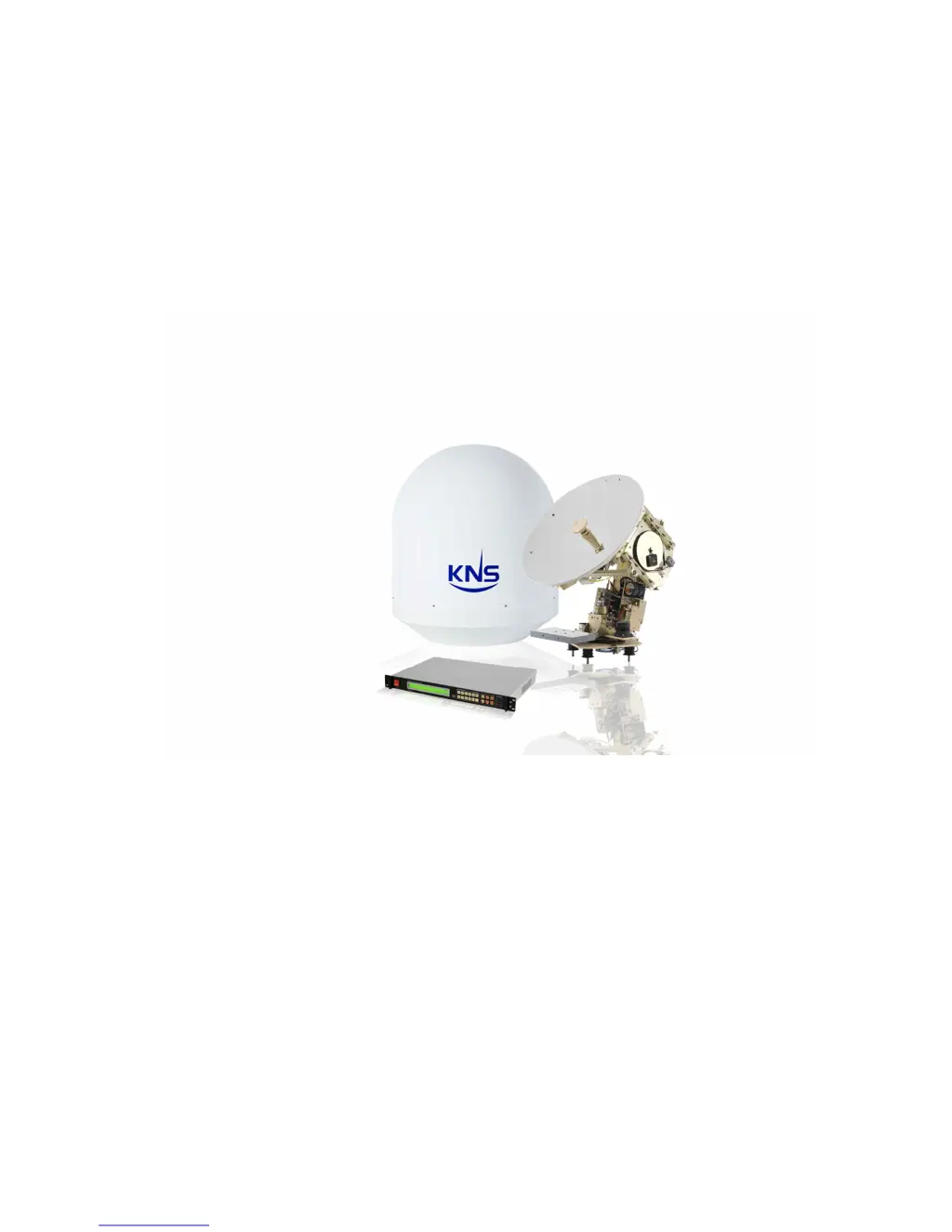
FOR VSAT VS61
Ku-BAND TX/RX ANTENNAS

Table of Contents

Questions and Answers

  • J
    jimenezreginaSep 9, 2025
    Why does KNS Ku-BAND TX Satellite TV System ACU repeatedly display ‘ACU INITIALIZE’?
    • P
      prattcharlesSep 9, 2025
      If the KNS Satellite TV System ACU repeatedly displays ‘ACU INITIALIZE’ and the relay switch clicks repeatedly, disconnect the RX cable on the back panel of the ACU and retry powering on the unit. If this resolves the issue, reconnect the RX cable. If the symptom persists, the rotary joint may be faulty and require replacement.
  • A
    Anthony GarciaAug 23, 2025
    What to do if KNS Ku-BAND TX antenna is tracking but cannot hold tracking?
    • K
      Karen Mclaughlin DVMAug 23, 2025
      If the KNS Satellite TV System antenna is tracking the satellite, but cannot hold the tracking, check if the antenna is blocked. If there are no blockages, inspect the LNB and replace it if necessary. If the issue persists, further inspection of the PCU may be required.
  • J
    James FlemingAug 25, 2025
    What to do if the azimuth axis on KNS Ku-BAND TX does not move?
    • M
      matthewgreenAug 25, 2025
      If the azimuth axis of your KNS Satellite TV System does not move after the sensor cage stays parallel to the ground, check the motor driver and replace it if necessary. If the issue persists, replace the azimuth motor. If the problem remains unresolved, inspect the cable between the motor driver and the PCU. Lastly, check the motor driver connector on the PCU.
  • T
    Thomas CollinsAug 26, 2025
    Why is the KNS Satellite TV System antenna searching continually without tracking?
    • A
      amandawadeAug 27, 2025
      If the KNS Satellite TV System antenna is searching continually without tracking, first, check the ‘S&T Reference Details’ (Key ‘5’). Next, check the ‘DVB Tuner’ (Key ‘6’). Ensure that the antenna is not blocked. Verify that the skew mode is set to ‘AUTO’. Finally, confirm that the RX frequency of the target satellite is within the input frequency range of the LNB.
  • Y
    ycarterAug 28, 2025
    What to do if RX is locked, but the link is not locked on the modem in KNS Satellite TV System?
    • J
      Johnathan BeckerAug 28, 2025
      If the RX is locked but the link is not locked on the modem of your KNS Satellite TV System, check the TX voltage on the ACU or modem to ensure it is within the input voltage range of the BUC. Next, check the TX frequency of the modem. Finally, check the cable connection between the BUC and the TX port on the modem or ACU.
  • C
    Charles ReedAug 29, 2025
    Why is AGC or C/N level lower than normal on KNS Ku-BAND TX?
    • J
      Jonathan CummingsAug 29, 2025
      If the KNS Satellite TV System antenna is tracking, but the AGC or C/N level is lower than normal, consider the weather conditions such as deep fog, clouds, or heavy rain. Check for any blockage of the antenna. Also, confirm that the antenna is not tracking a side lobe; if so, retry the satellite search using the ‘?’ button.
  • J
    Jessica SullivanSep 17, 2025
    What to do if elevation or cross axis is not working on KNS Satellite TV System?
    • J
      Jeremy JohnsonSep 18, 2025
      If the operation of the sensor cage is OK, but the elevation or cross axis is not working on your KNS Satellite TV System, check the motor driver and replace it if necessary. If the antenna still has a problem, replace the elevation motor or cross motor. If the problem is not resolved, check the cable between the motor driver and the PCU. Lastly, check the motor driver connector of the PCU.
  • E
    Erica Hall DDSSep 19, 2025
    What does 'Searching fail error' mean on KNS Ku-BAND TX?
    • J
      Jordan GonzalesSep 19, 2025
      If a 'Searching fail' error message (PCU error 0X 10 00 00) occurs immediately after initializing your KNS Satellite TV System, check the longitude of the target satellite. If the calculated elevation angle and azimuth angle are out of its range, the ACU will display this error. Also, check the GPS data to ensure it is correct.
  • C
    Christopher GarrettSep 7, 2025
    Why does the KNS Ku-BAND TX Satellite TV System ACU LCD blink continuously?
    • W
      williamskiaraSep 8, 2025
      If the KNS Satellite TV System ACU LCD blinks continuously when the ACU power is on, and the relay switch clicks repeatedly, disconnect the cable between the RX power supply and the ACU board. Then, check the output voltage of the RX power supply. If the voltage is OK, reconnect the cable and check for a short-circuit in the power line on the ACU board.
  • E
    Emily ArmstrongSep 4, 2025
    What to do if KNS Ku-BAND TX ACU does not turn on?
    • C
      Charles RobinsonSep 5, 2025
      If the KNS Satellite TV System ACU does not turn on after powering it on, ensure the AC power cabling is correctly connected between the ACU and the AC connector. Check the output power (48VDC) of the RX power supply. Also, check the power line of the ACU board.

Summary

Introduction

Purpose of the VS61 Manual

Provides information for installing and programming the VS61 antenna and KA-160.

Antenna Safety and Personnel

Radiation Limits and Exposure Guidelines

Defines MPE, SAR, and exposure limits for controlled and uncontrolled areas.

Antenna Operation Safety Recommendations

Restricts access to the antenna's vicinity and outlines safety precautions.

Installation Procedures

Site Selection for Antenna Mounting

Guides on choosing an optimal mounting location for the antenna radome assembly.

Antenna Unpacking and Cable Installation

Details unpacking, installing equipment cables, and mounting the antenna unit.

ACU Mounting and Cabling

Provides ACU location recommendations and details on installing ACU cables and connectors.

Theory of Operation

Self-Disciplining Algorithm

Explains the algorithm for accurate antenna positioning and its application in various motion environments.

Satellite Searching and Tracking

Details methods and references for finding and tracking satellites using DVB and other signals.

Methods of Finding Satellite

Describes manual pointing, auto searching, manual searching, and reference searching techniques.

Initial Configuration and Setup

AC Power and Operation Procedures

Outlines ACU power-up sequence, initialization, and Bluetooth communication.

Antenna Alignment with Ships Bow

Covers confirming and adjusting the heading offset for accurate antenna alignment with the ship's bow.

Using the Front Keypad

Configuration Mode Settings

Explains key mapping, ship location, heading, polarity, and S&T details for configuration.

Installation Mode Settings

Details settings for Bluetooth, heading offset, searching parameters, polarity calibration, and gyro types.

Antenna Operation and Status

Antenna Operation Procedure

Step-by-step guide for powering on, initializing, and searching/tracking with the antenna.

Checking Antenna Operational Status

Monitors antenna status, signal strength, and LED indicators.

Troubleshooting and Errors

Troubleshooting Common Issues

Provides guidance on identifying and resolving common antenna issues.

Understanding ACU Error Messages

Lists ACU error codes and their explanations for diagnosing problems.

Appendices

Error Code Definitions

Detailed definitions for various error codes encountered with the antenna system.

Technical Specifications

Provides detailed specifications for the antenna's electrical, mechanical, and environmental characteristics.

Mounting Hole Layouts

Illustrates the layout of radome and antenna mounting holes for installation purposes.

KNS Ku-BAND TX Specifications

General IconGeneral
BrandKNS
ModelKu-BAND TX
CategorySatellite TV System
LanguageEnglish