EasyManua.ls Logo

koban KDP3 360 - User Manual

koban KDP3 360
40 pages
Go to English
Print Icon
To Next Page IconTo Next Page
Loading...
KDP3360
Detectordepresenciaempotrable
Presencedetector
www.grupotemper.com

Questions and Answers

  • M
    mwilsonAug 7, 2025
    What to do if koban Security Sensors lighting device does not turn on?
    • H
      Heidi McleanAug 7, 2025
      If the lighting device does not turn on, check the following: * Ensure the power is switched on. * Refer to the wiring diagrams to verify correct connection. * Check the Lux knob is set to the correct position. * Replace the load if it has malfunctioned.
  • S
    Samuel EvansAug 14, 2025
    Why koban Security Sensors have nuisance triggering?
    • C
      Corey FreemanAug 15, 2025
      Nuisance triggering can occur if the detector is aimed toward heat sources like air conditioners, electric fans, or heaters, or at highly reflective surfaces. Also, swaying objects within the detection coverage may cause it. To resolve this, avoid aiming the detector at heat sources or reflective surfaces, and ensure no swaying objects are within the detection area.
  • L
    laura39Aug 20, 2025
    What to do if koban Security Sensors lighting device does not turn off?
    • K
      Kristin RiceAug 21, 2025
      If the lighting device does not turn off, consider these potential causes: * The auto off time may be set too long. Shorten the auto off time and check if the load switches off according to the preset time. * The detector may be nuisance triggered. Keep away from the detection coverage during testing to prevent activation. * The wiring may be incorrect. Ensure the load and wires are correctly connected.
  • M
    michelle48Aug 29, 2025
    How to turn on LED on koban KDP3 360?
    • J
      Jessica JohnsonAug 29, 2025
      To turn on the LED, ensure the Time knob is in the Test position and walk within the effective detection range of 8 meters diameter.

Summary

Technical Specifications

Rated Voltage

Specifies the input voltage and frequency for the device.

Load Capacity

Details the maximum load capacity for various lamp types.

Timer and Detection Settings

Covers Auto Off Timer, Detection Range, and Lux Adjustment parameters.

Operating Conditions

Specifies operating temperature range and environmental protection ratings.

Package Contents

Included Items

Lists the detector, screws, lens shield, and instruction manual provided.

Optional Accessories

Junction Box & Power Box Cap

Lists optional junction box (KDP3/5 FP) and power box cap (KDP3/5).

Product Description

Overview

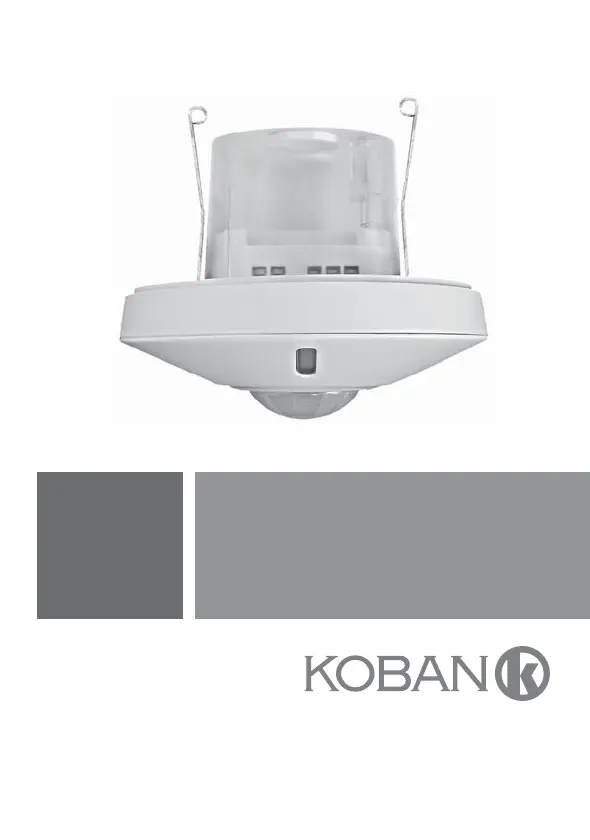
Describes the KDP3 as a ceiling mount presence detector for lighting automation.

Features Overview

Mounting and Indicator

Covers mounting methods and the red LED indicator for status.

Remote Control and Lux Reading

Details optional IR remote and ambient Lux reading capability.

Optional Accessories Mention

Mentions KDP3/5 accessories for specific mounting requirements.

Dimension Details

Detector Dimensions

Specifies the detector dimensions as Φ110 x 55mm.

Surface Accessory Dimensions

Shows dimensions for detector with optional power box cap KDP3/5.

Installation and Wiring

General Precautions

Disconnect power and read manual carefully before installation.

Proper Location Selection

Recommends installation height of 2-3m for optimal detection pattern.

Installation Guidance

Detection Pattern Sensitivity

Explains sensitivity to movement across vs. towards the detector.

Installation Avoidance Tips

Lists conditions to avoid, like heat sources and reflective surfaces.

Functionality Overview

R;S Terminal Manual Control

Explains manual on/off switching via R/S terminal and push button.

Functionality Details

Manual On;Off Operation

Details manual on/off modes, activation, deactivation, and slave detector connection.

ON;OFF Delay Logic

Explains how ambient light level affects load turn-on/off delay times.

Wiring Diagrams

Normal Operation Wiring

Illustrates wiring diagram for normal detector operation.

Staircase Timer Wiring

Shows wiring diagram for controlling a staircase timer switch.

Flush Mount Installation

Using European Junction Box

Step-by-step guide for flush mounting using a standard junction box.

Flush Mount Installation KDP3;5

Using Power Box Cap

Details flush mounting using the optional KDP3/5 power box cap.

Surface Mount Installation

Using Junction Box KDP3;5 FP

Instructions for surface mounting with KDP3/5 FP junction box.

Surface Mount Installation Fixing

Cable Entry and Box Fixing

Explains feeding cables through knockouts and fixing the junction box.

Operation and Function

Lux and Time Knobs Adjustment

Explains the function and settings for Lux and Time adjustment knobs.

Lens Shield Usage

Masking Detection Area

Describes how to use lens shields to mask undesired detection areas.

Walk Test

Purpose and Procedure

Explains the walk test purpose and how to perform it by setting Time knob to Test.

Walk Test Procedure

Test Steps and Adjustments

Details test steps, warm-up, trigger interval, and lens adjustment.

Troubleshooting: Device Operation

Lighting Device Issues

Lists problems like device not turning on/off and their causes/solutions.

LED and Detection Range Issues

Addresses issues with LED not turning on and exceeding detection range.

Troubleshooting: Nuisance Triggering

Causes and Solutions

Explains causes and solutions for unwanted triggering, like heat sources.

Optional Accessory Recommendation

IR Remote Controller

Recommends the IR remote for easier settings and 'Lux learning' function.

koban KDP3 360 Specifications

General IconGeneral
TypePIR Motion Sensor
Operating Temperature-10°C to +50°C
IP RatingIP20
Detection Range360 degrees
Alarm DurationAdjustable