Enter the await mode from any state by pressing the
„ “ button. The main button will then light up white.
Enter the menu mode by briefly pressing the main button.
The main button will then light up dark blue.
Command entry guide:
Step 1:
„Main button“ + „Command digit“ + „ “
Step 2:
Main button blinks green: Enter the User PIN and press „ “
Main button blinks light blue: Enter the SO PIN and press „ “
Main button blinks purple: Enter the Administrator PIN and press „ “
Command Entry
Await mode Menu modeSleep mode Authentication
mode
State modes
Standard mode
without PC
connection
Standard mode
with PC
connection
After pressing
the main button
in await mode
After inserting
the correct
smartcard
Smartcard Smartcard Smartcard
Commands 1,2,3,7,0 can be run without a PC connection.
Default settings
User PIN: 1-2-3-4
Number of digits: 4 to 12
Failed attempts: 3
SO PIN: 1-2-3-4-5-6-7-8-9-0
Number of digits: 4 to 12
Failed attempts: 10
Administrator PIN: 8-7-6-5-4-3-2-1
Number of digits: 4 to 16
Failed attempts: 16
Time-Out: off (adjustable from 0 to 30 minutes)
Lock-Out: off
Write protection: off
Menu overview
Cancel
Authenticate the user
Change the User PIN
Generate a new DEK
(Crypto Key)
Change the
Administrator PIN
Confirm
Configure time-out
Delete the smartcard table
Switch the write protection
on / off
Switching lockout mode
on / off
Unlock the User PIN
Main button
User PIN
Commands
Administrator PIN
Commands
SO PIN
Commands

 Need help?
 General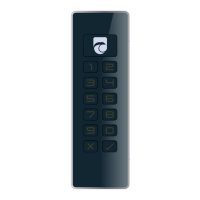

 To Next Page