EasyManua.ls Logo

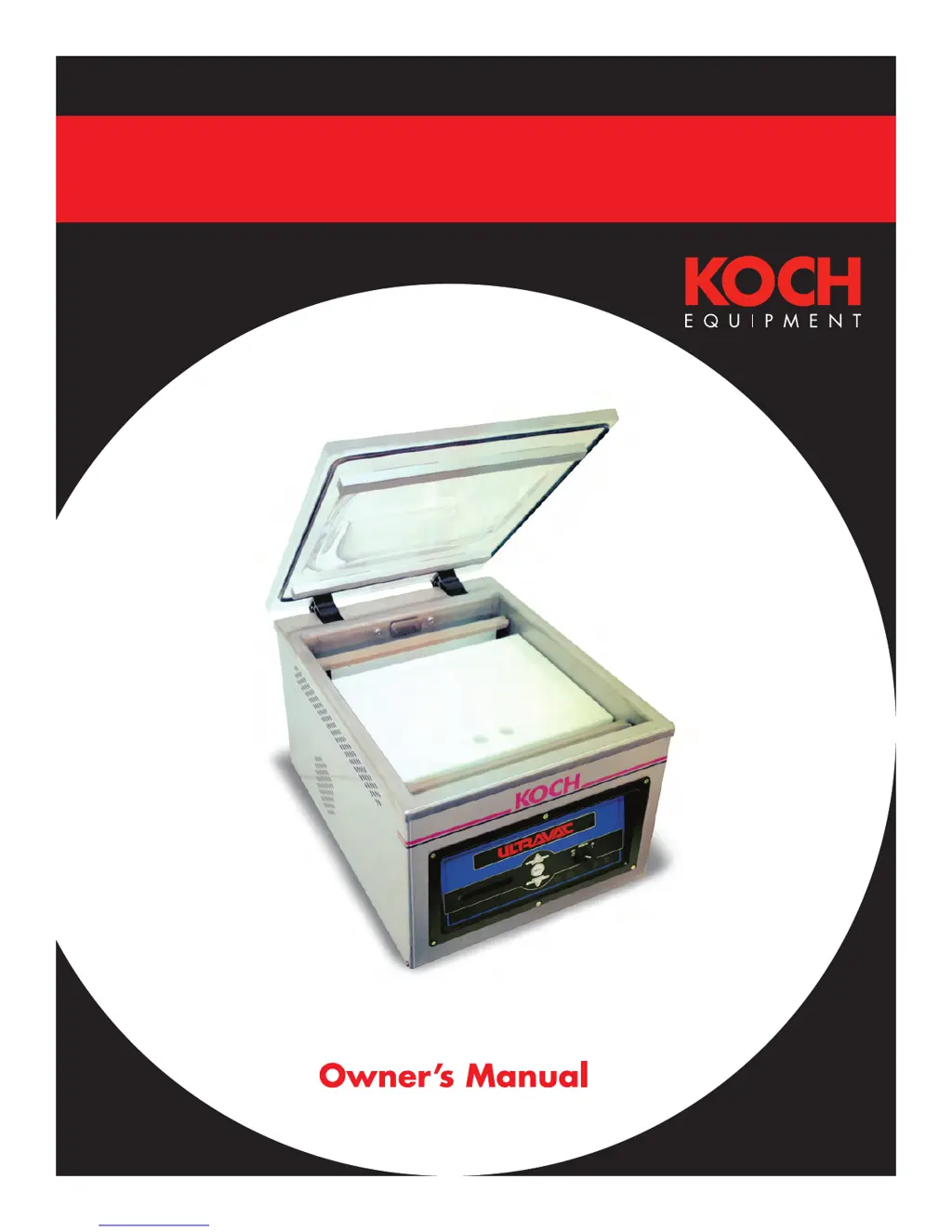
Koch Ultravac 250 - User Manual

Koch Ultravac 250
68 pages
Print Icon
To Next Page IconTo Next Page
Loading...
Ultravac
®
250
Vacuum Chamber Packaging Machine
860108 Revision Q
Date 01/2009

Questions and Answers

  • G
    garciadonaldAug 12, 2025
    Why is there no gas flush in my Koch Ultravac 250?
    • E
      Emily OwensAug 12, 2025
      If the indicator light (GAS) is lit, check that the gas pressure going into the gas inlet is correct and ensure that the gas flush valve (SOL-3) is working properly. If the indicator light (GAS) is not lit, check the gas flush potentiometer on the analog control module or a possibly defective digital control panel.
  • T
    triciagardnerAug 21, 2025
    What to do if the chamber on my Koch Ultravac 250 Kitchen Appliances is not venting (lid will not open)?
    • B
      benjaminrileyAug 21, 2025
      If the red “VENT” indicator light on the control module is lit and the lid won't open, check the ventilation valve SOL-1 to ensure it's working correctly. If the “VENT” indicator light is not lit, inspect the cool down potentiometer on the analog control module or a possibly defective digital control panel.
  • H
    heather73Nov 1, 2025
    What to do if my Koch Ultravac 250 Kitchen Appliances are not sealing properly?
    • K
      Kimberly LoveNov 1, 2025
      If the seal bladder light on the control module is lit, but the seal bar doesn't go up, ensure the regulator knob is fully clockwise, or if using air-assist, set it to the recommended pressure. Also, verify the seal bladder valve SOL-2 is operating correctly. If the seal bar isn't heating up even when the red seal light is on, inspect the seal bar connection points and clips for corrosion and proper tension. If the red seal light on the front panel doesn't light up for the correct duration (½ to 1 second) or doesn't light up at all, check for a broken seal element, the seal bar fuse F-1 (located on the analog or digital panel, or on the chassis for 110VAC machines with two seal bars), or ensure the seal impulse potentiometer is set high enough. A defective digital control panel could also ...

Summary

Specifications

Safety Information

Personal Safety

Important safety warnings and precautions for operating the machine.

Food Safety

Guidelines and risks associated with packaging food products.

General Safety Guidelines

General safety practices to be observed during operation and maintenance.

Startup Procedures

Unpacking

Steps for safely removing the machine from its packaging.

Power Requirements

Specifications for electrical power supply and connection.

Grounding Instructions

Importance and procedure for grounding the machine for electrical safety.

Gas Flush Connection

Requirements for connecting the gas flush system.

Air-Assist Connection

Specifications for connecting the air-assist sealing system.

Checking Vacuum Pump Rotation

Procedure to verify the correct rotation of the vacuum pump motor.

Operation Guide

Placement of Product

Key steps for properly placing product in the pouch for optimal sealing.

Analog Control Panel Operation

Details on using the analog control panel for vacuum and seal settings.

Digital Control Panel Operation

Features and operation of the digital control panel, including VACPLUS and Gas Flush.

Operator Menu Navigation

Navigating and setting parameters via the digital operator menu.

Selecting a New Program

Procedure for selecting and setting up new operational programs.

Sealing with Air-Assist

Guidelines for using air-assist for sealing.

Gas Flush Option

Explanation of the gas flush function and its uses.

Double Seam Seal Option

Information about the double seam seal option and its use.

Maintenance Procedures

Prior to Cleaning

Important considerations before starting the cleaning process.

Cleaning Recommendations

Detailed steps for cleaning various machine parts safely and effectively.

Vacuum Pump Maintenance

Instructions for maintaining the vacuum pump.

Seal Bar Maintenance

Steps for replacing seal elements on the seal bars.

Reading the Indicators

Interpreting indicator lights for troubleshooting.

Troubleshooting

Common issues, their symptoms, and solutions for the machine.

Supervisor Menu

Accessing and modifying supervisor-level settings and parameters.

Opening Chamber Machine

Steps to open the machine for access to internal components.

Changing Vacuum Pump Oil

Detailed procedure for draining and refilling vacuum pump oil.

Replacing Power Cord

Instructions for safely replacing the machine's power cord.

Replacing Potentiometer

Steps for replacing a potentiometer on the analog control panel.

Maintenance and Service Logs

Guidance on keeping logs of performed maintenance and service activities.

Schematics and Diagrams

Designation and Function of Controls

Explanation of component designations used in electrical diagrams.

110 Volt, Single Phase Control Panel

Wiring diagram for the 110V single-phase control panel.

220 Volt, Single Phase Control Panel

Wiring diagram for the 220V single-phase control panel.

110 Volt, Double Seal Bar Control Panel

Wiring diagram for the 110V double seal bar control panel.

220 Volt, Double Seal Bar Control Panel

Wiring diagram for the 220V double seal bar control panel.

Non-Gas Flush Pneumatic Diagram

Pneumatic diagram for the machine without gas flush.

Gas Flush Pneumatic Diagram

Pneumatic diagram for the machine with gas flush option.

Parts and Diagrams

Recommended Spare Parts

List of recommended spare parts with part numbers and quantities.

Pump and Chassis Parts

List of parts for the pump and chassis assembly.

Pump and Chassis Diagram

Exploded view diagram of the pump and chassis.

Seal Bar Parts

List of parts for the seal bar assembly.

Seal Bar Diagram

Exploded view diagram of the seal bar assembly.

Lid and Hinge System Parts

List of parts for the lid and hinge system.

Lid and Hinge System Diagram

Exploded view diagram of the lid and hinge system.

Gas Flush Components Parts

List of parts for the gas flush system.

Gas Flush Components Diagram

Exploded view diagram of the gas flush components.

Analog Control Panel Parts

List of parts for the analog control panel.

Analog Control Panel Diagram

Exploded view diagram of the analog control panel.

Digital Control Panel Parts and Diagram

List of parts and diagram for the digital control panel.

Mebner Valve Parts and Diagram

List of parts and diagram for the Mebner valve.

Miscellaneous Machine Parts

List of parts and diagram for miscellaneous machine components.

Pump Filter Option Parts and Diagram

List of parts and diagram for the pump filter option.

Koch Ultravac 250 Specifications

General IconGeneral
BrandKoch
ModelUltravac 250
CategoryKitchen Appliances
LanguageEnglish