Digital Door Lock
New Standard of Premium Digital Doorlock
It's hoped that you use the products after reading carefully the manual.
It's possible to change some parts of function without prior notice
to users in order to improve the products's performance.
User Manual
Be sure to make door open manually
in emergency case
This product can be damaged
when the door lock gets broken
Door-opening function with the use of
password, card
You can use your password and card key conveniently
and freely make settings and changes.
Fire safety function
It operates at a certain heat(around 65 degree Celsius)
in case of re, which may somewhat vary by installation
environment.
External double locking device
While you are out for long hours, operation of the indoor
buttons can be stopped, through which theft through
the milk drop is prevented.
Self-diagnosis function
The door lock itself diagnoses defect, and informs you of
malfunction or the battery change time through the alarm.
Connection to home network system(optional)
Door-opening is possible indoors through a connection
to the remote controller or wireless transmitter.
Alarm function in case of housebreaking & theft
If a wrong password is entered 3 or more times, all the
operation is stopped for 30 seconds, and forced
door-opening results in an alarm sounding.
Premium Smart Digital Doorlock
New Concept Digital Doorlock
A convenient digital door lock

 Need help?
 General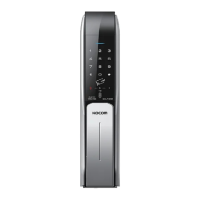

 To Next Page