EasyManua.ls Logo

Kodak 8942930 - User Manual

Kodak 8942930
29 pages
Print Icon
To Next Page IconTo Next Page
Loading...
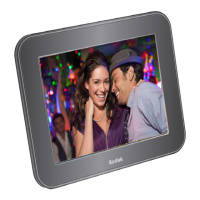
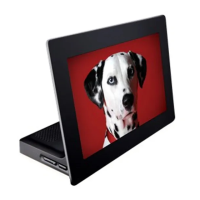
KODAK EASYSHARE Digital Frame
Extended user guide
P725/P825
www.kodak.com
For help with your digital frame, www.kodak.com/go/digitalframesupport

Questions and Answers

  • J
    Jeffery PetersonJul 29, 2025
    What to do if nothing happens when connecting a memory card or USB to my Kodak Digital Photo Frame?
    • T
      Tony WellsJul 29, 2025
      If your Kodak Digital Photo Frame doesn't respond when you connect a memory card or USB device, try these steps: * Ensure you're using a certified SD/SDHC/MMC/XD Card with images, inserted into the upper designated card slot, and pushed to seat it. * For MS/MS Pro Duo Cards, use the lower designated card slot only, and push to seat it. * Verify the USB device is securely connected. * Confirm that your picture file format is supported. * Be aware that large files or high-capacity memory cards/devices may take longer to display.
  • R
    Robert NielsenAug 2, 2025
    What to do if I get a copy error on my Kodak 8942930 Digital Photo Frame?
    • M
      Madison MejiaAug 2, 2025
      If you encounter a copy error on your Kodak Digital Photo Frame, try the following: 1. Recopy the picture to a different memory card or USB device. 2. Turn off the frame, then turn it back on, and reinsert the card or device. 3. Try the copy again.
  • M
    meredithmclaughlinAug 6, 2025
    What to do if my Kodak Digital Photo Frame says 'Copy error—no memory card or USB device is inserted'?
    • D
      Dr. Haley WongAug 6, 2025
      If your Kodak Digital Photo Frame displays a 'Copy error—no memory card or USB device is inserted' message, insert a memory card or USB device and press the Copy button again.
  • M
    marcus88Aug 10, 2025
    What to do if my Kodak Digital Photo Frame says 'Internal memory is full, unable to copy'?
    • B
      Brian LawrenceAug 11, 2025
      If your Kodak Digital Photo Frame displays 'Internal memory is full, unable to copy', delete pictures from internal memory.
  • K
    Katherine AndersonAug 15, 2025
    What to do if I get a delete error on my Kodak 8942930?
    • M
      Monique BakerAug 15, 2025
      If you encounter a delete error on your Kodak Digital Photo Frame, try turning the frame off and then back on, and attempt the deletion again.
  • S
    Scott GonzalezAug 19, 2025
    What to do if my Kodak 8942930 Digital Photo Frame displays 'Unknown error'?
    • A
      angelica83Aug 19, 2025
      If your Kodak Digital Photo Frame displays an 'Unknown error', try turning the frame off and then back on.
  • J
    Jason PriceAug 23, 2025
    Why does my Kodak 8942930 say the card or device is empty?
    • J
      Jessica Wong DDSAug 25, 2025
      If your Kodak Digital Photo Frame indicates that the card or device is empty, insert a different card or device that contains pictures.

Summary

Product Features

Top Buttons and Controls

Details physical controls located on the top of the digital frame for operation.

Side Power and Connectors

Details physical ports and power connections on the side of the digital frame.

Getting Started

Attaching the Power Cable

Instructions for connecting the power adapter to the digital frame.

Attaching the Stand

Instructions for attaching the stand to the digital frame.

Turning Your Frame On and Off

Steps for powering the digital frame on and off.

Inserting a Memory Card

Guide on how to insert various types of memory cards into the frame slots.

Connecting a USB Device

Instructions for connecting USB storage devices to the frame.

Viewing Pictures

Doing More With Your Frame

Troubleshooting and Support

Kodak 8942930 Specifications

General IconGeneral
BrandKodak
Model8942930
CategoryDigital Photo Frame
LanguageEnglish

Related product manuals