EasyManua.ls Logo

Kodak M340 - Page 15

Kodak M340
104 pages
Print Icon
To Next Page IconTo Next Page
To Previous Page IconTo Previous Page
Loading...
Doing more with your camera
Using
the
optical
zoom
1
Use
the
LCD
to
frame
your
subject.
2
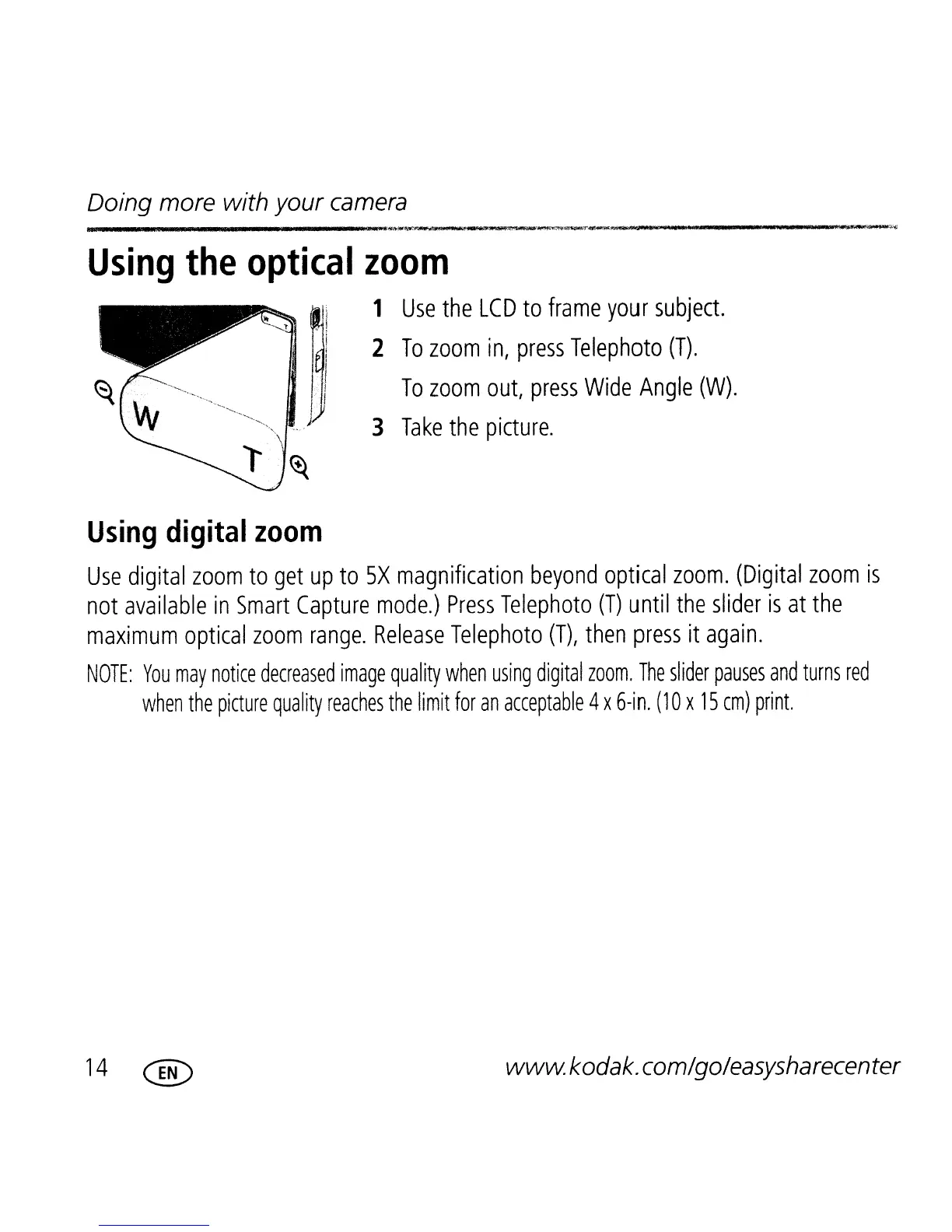
To
zoom
in,
press
Telephoto
(T).
To
zoom
out,
press
Wide
Angle
(W).
3
Take
the
picture.
Using
digital
zoom
Use
digital
zoom
to
get
up
to
5X
magnification
beyond
optical
zoom.
(Digital
zoom
is
not
available
in
Smart
Capture
mode.)
Press
Telephoto
(T)
until
the
slider
is
at
the
maximum
optical
zoom
range.
Release
Telephoto
(T),
then
press
it
again.
NOTE:
You
may
notice
decreased
image
quality
when
using
digital
zoom.
The
slider
pauses
and
turns
red
when
the
picture
quality
reaches
the
limit
for
an
acceptable
4x
6-in.
(10
x
15
cm)
print.
14
@
wwwkodak.com/go/easysharecenter

Table of Contents

Other manuals for Kodak M340

Related product manuals