EasyManua.ls Logo

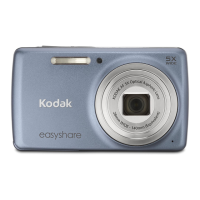
Kodak EASYSHARE M590 - User Manual

Kodak EASYSHARE M590
67 pages
Print Icon
To Next Page IconTo Next Page
Loading...
KODAK EASYSHARE M590
Digital Camera
Extended user guide
www.kodak.com
For interactive tutorials:
www.kodak.com/go/howto
For help with your camera:
www.kodak.com/go/m590support

Table of Contents

Questions and Answers

  • W
    Wendy LopezJul 26, 2025
    Why flash does not fire on my Kodak EASYSHARE M590 Digital Camera?
    • A
      abbottstephenJul 26, 2025
      The flash might not be firing because of the current flash setting. Check the flash setting and change it as needed. Note that the flash does not fire in all modes.
  • L
    Laura RomanAug 9, 2025
    What to do if pictures remaining number does not decrease after taking a picture with Kodak EASYSHARE M590 Digital Camera?
    • A
      Alexander RyanAug 9, 2025
      Here's what you can do: 1. Transfer all pictures to the computer. 2. Take another picture. 3. Continue taking pictures. The camera is operating normally. The camera estimates the number of pictures remaining after each picture is taken, based on picture size and content.

Kodak EASYSHARE M590 Specifications

General IconGeneral
TypeCompact
Image SensorCCD
Sensor Size1/2.3 inch
Megapixels14
Optical Zoom5x
Digital Zoom5x
ISO sensitivityAuto, 80, 100, 200, 400, 800, 1600, 3200
Storage MediaSD/SDHC card
Sensor Resolution14 megapixels
LCD Screen Size2.7 inches
ISO Range80-3200
Video Resolution720p
Battery TypeLi-Ion

Related product manuals