45
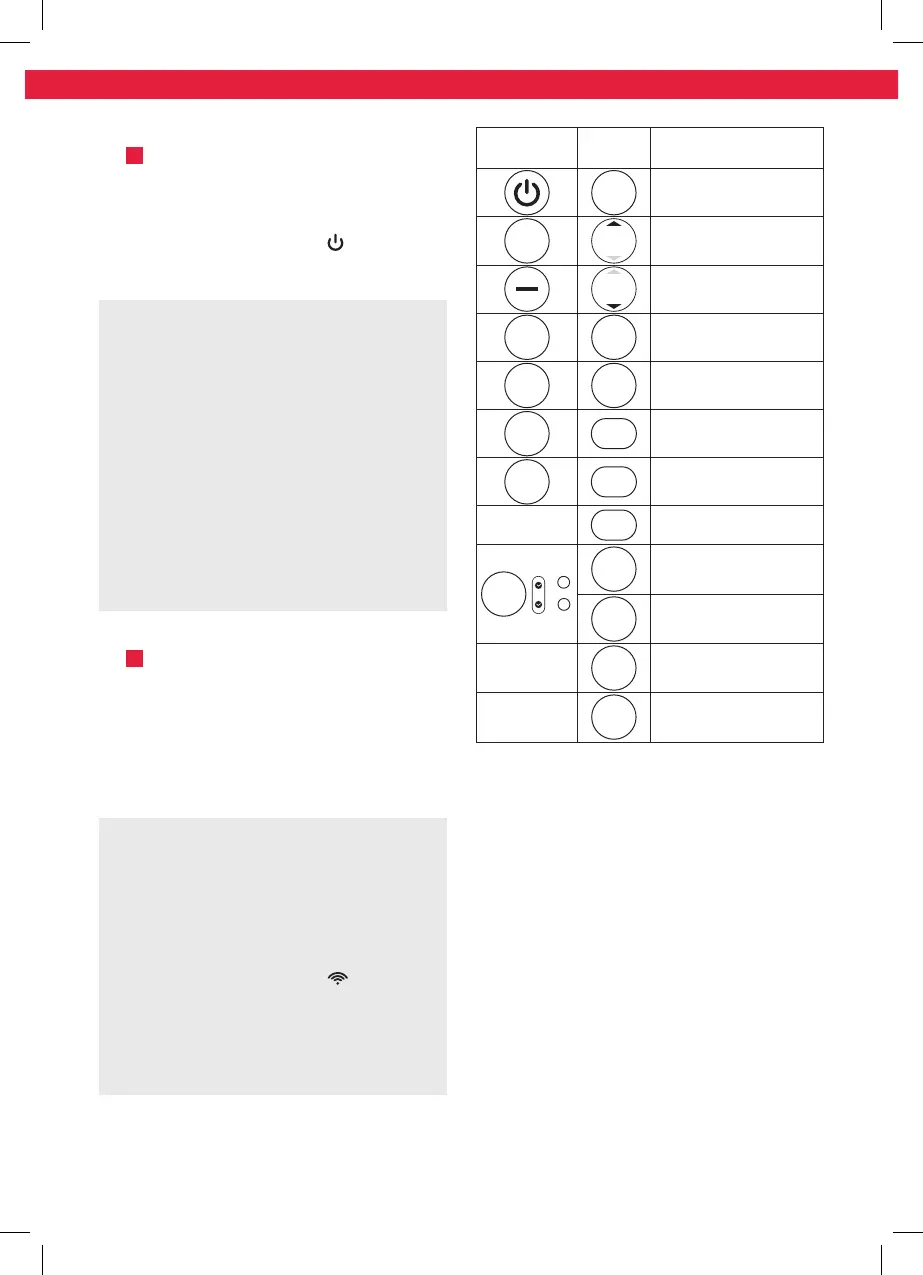
Control
panel
Remote
control
Function
ON/OFF
Switch on or into
standby
+
TEMP
Increase value, e.g.
temperature or timer
TEMP
Decrease value of
temperature or timer
MODE MODE
Mode selection button
FAN FAN
Fan speed selection
button
SLEEP SLEEP
Sleep mode on/o
SWING SWING
Fan outlet oscillation
on/o
—
LED
Display and indicator
lights on/o
TIMER
on
off
+
–
TIMER
OFF
Adjust switch into
standby time
TIMER
ON
Adjust switch on time
—
SHORT
CUT
Choose preset mode
and temperature
—
FOLLOW
ME
Precise temperature
control
Operation
Fig.
4
Switching on/o
The product can only be switched on
or into Standby. Unplug in order to
disconnect from the mains.
Press the on/o button or the ON/
OFF button to switch the product on or
into standby.
Note:
• After a power break or when the product
is switched into standby and on again in
a short time, the refrigerating compressor
will resume work after 3 minutes (delayed
start). This is to prevent the cooling circuit
from damages.
• If the product is tilted over, switch it into
standby and unplug immediately. Wait
at least 2 hours before operating the
product again to avoid damages on the
refrigerating circuit.
• Always switch the product into standby
before unplugging.
Remote control
Fig.
5
Remove the battery compartment cover.
Insert 2 batteries (type R03/ AAA) while
paying attention to the correct polarity.
Close the battery compartment. Using
the control panel and the remote control
alternately might lead to a misalignment
of the product and the information
displayed on the remote control.
Note:
• Press any button on the remote control
and the product adopts the current
setting from the remote control.
• The signals of the remote control will
be transmitted with a short delay after
a button is pressed. This process is
indicated by the appearing symbol on
the remote control display.
• Every press of a button on the remote
control will illuminate the display on the
remote control for a few seconds for
better visibility in the dark.
IM_KAC3232_KAC3352_181220_V04_HR.indb 45 20/12/18 4:15 pm


 To Next Page
 Loading...