Digital Media Player
USB support character
44
Action:
Up,Down keys: Select the music file
OK button: Play the selected music files
Left, Right keys: Exit playlist, and select
other options
Exit button: Exit Playlists
Function:
Play / Pause: Play / stop the music
FB: Fast back playing (x2,x4,x8,x16)
FF: Fast forward playing (x2,x4,x8,x16)
Prev: Play previous music
Next: play next music
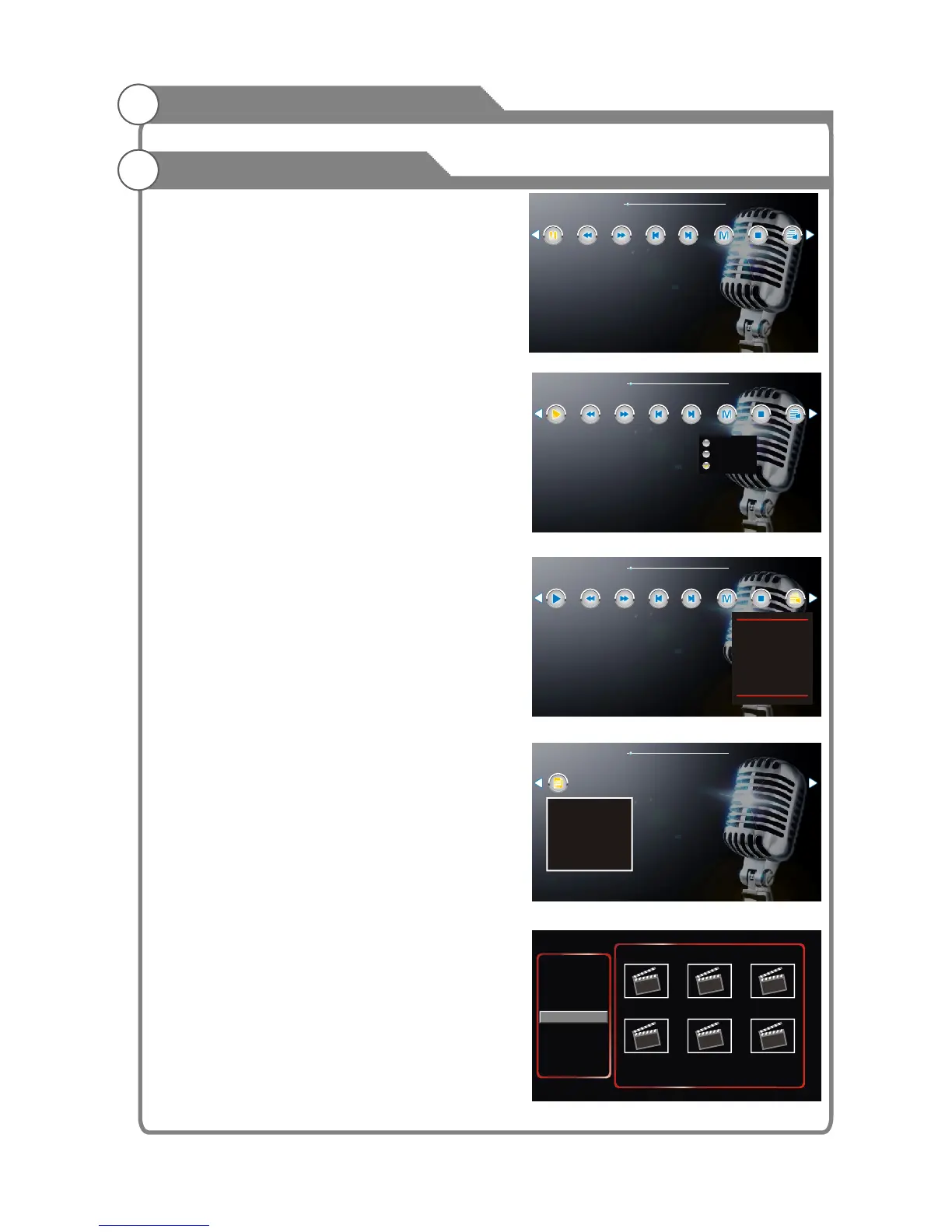
Play mode: Shown as Figure 16
1.ByOrder: Play music as order
2.Signle: Repeat single music
3.PlayLoop:Play all the music in order loop.
Stop:Exit the music play
Playlist:
Show is playing and will play music files.
Shown as Figure 17
Info: Display the name of music, album name,
title, stream, author, sampling year.
Shown as Figure 18.
3. Movie
Features: browse and play video files under
the specified path (default path is the current
disk, set the video interface, the method
please refer to the specified path: Path -
setting)
Content: Displays the playback video files
under the specified path. Shown in Figure 19
<Figure 18>
<Figure 19>
Bonnie Winds.mp3
00:00:03/00:04:07
<Figure 16>
ByOrder
Single
PlayLoop
Play
FB FF
Next
PlayMode
Prev
Playlist
Stop
Bonnie Winds.mp3
00:00:03/00:04:07
<Figure 17>
Play
FB FF
Next
PlayMode
Prev
Playlist
Stop
1 / 1
Burning. mp3
Jesus To A Child . Mp3
Bonnie Windsl. mp3
music_ac3_448kbps.aac
Bonnie Winds.mp3
00:00:03/00:04:07
Info
Bonnie Winds.mp3
Album: The Best Songs Of The World
Title: Bonnie Winds
Bit Rate: 16 Bits
Artist: Bohinta
Sampling:
Year:
PHOTO
MUSIC
MOVIE
TEXT
My Disk
1/1
Ad.mpeg V50.mp4
Canoe_vp6.mpg
V1.RM
Divx4. .. .rmvb
ASF_vp6.mov
UP / Down key: select OK / Right Key: Enter
UP / Down: select OK:play
Bonnie Winds.mp3
00:00:03/00:04:07
<Figure 15>
Play
FB FF
Next
PlayMode
Prev
Playlist
Stop
Play Control
Key operation:
Left, Right: Select Options
Confirm the key: the selected function key
to enter the selectedfeatures live secondary
menu items.
Exit: exit the playback control menu
Default path C:\














 To Next Page