6
VESA mounting pattern 75x 75mm, screw size M4.
Note: VESA mount or mounting accessories are not included.
1.
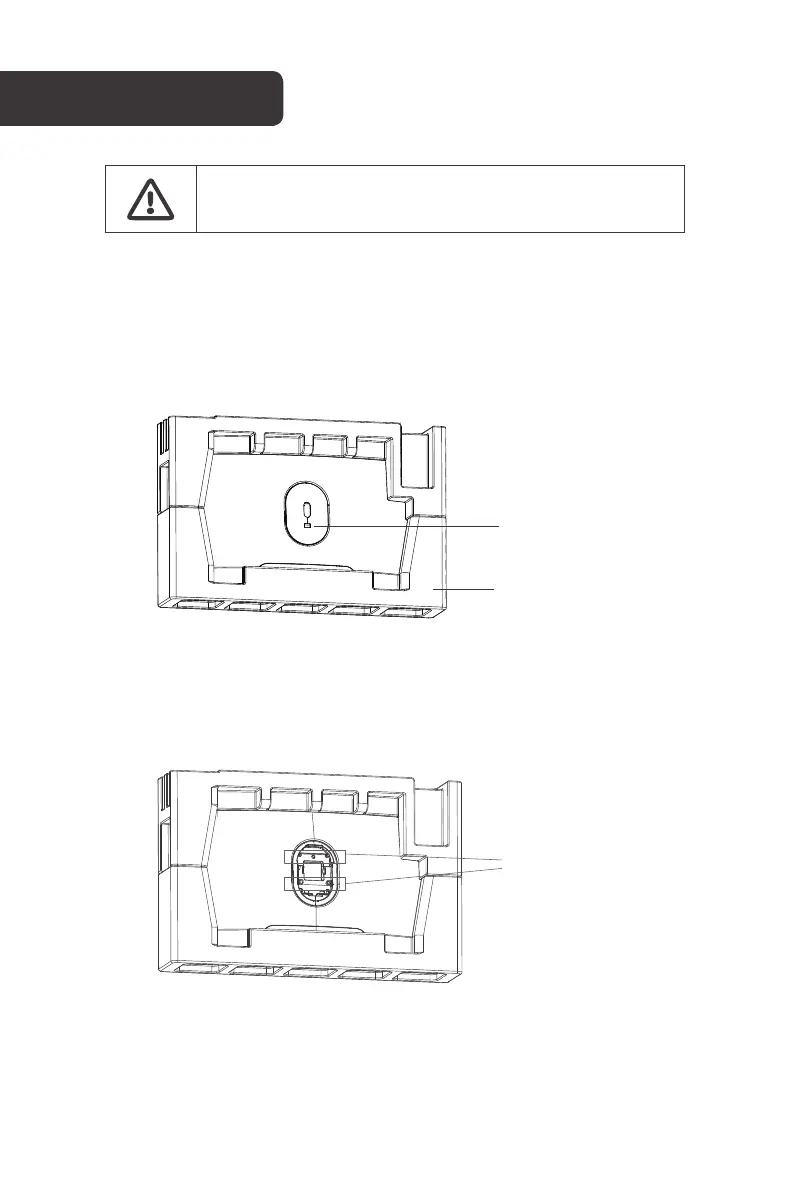
Open the box, take out the monitor with protection foam attached and gently place it
on a desktop or table. Ensure all components are removed from the foam covering.
Press the quick release button to remove the stand plate.
If the monitor is already attached to the stand, remove the stand before proceeding
with VESA mount assembly.
2.
Remove the four screws from the rear case. Do not remove the monitor from the foam at
this stage.
VESA MOUNT
Quick release
button
Protective foam
Screws



 To Next Page