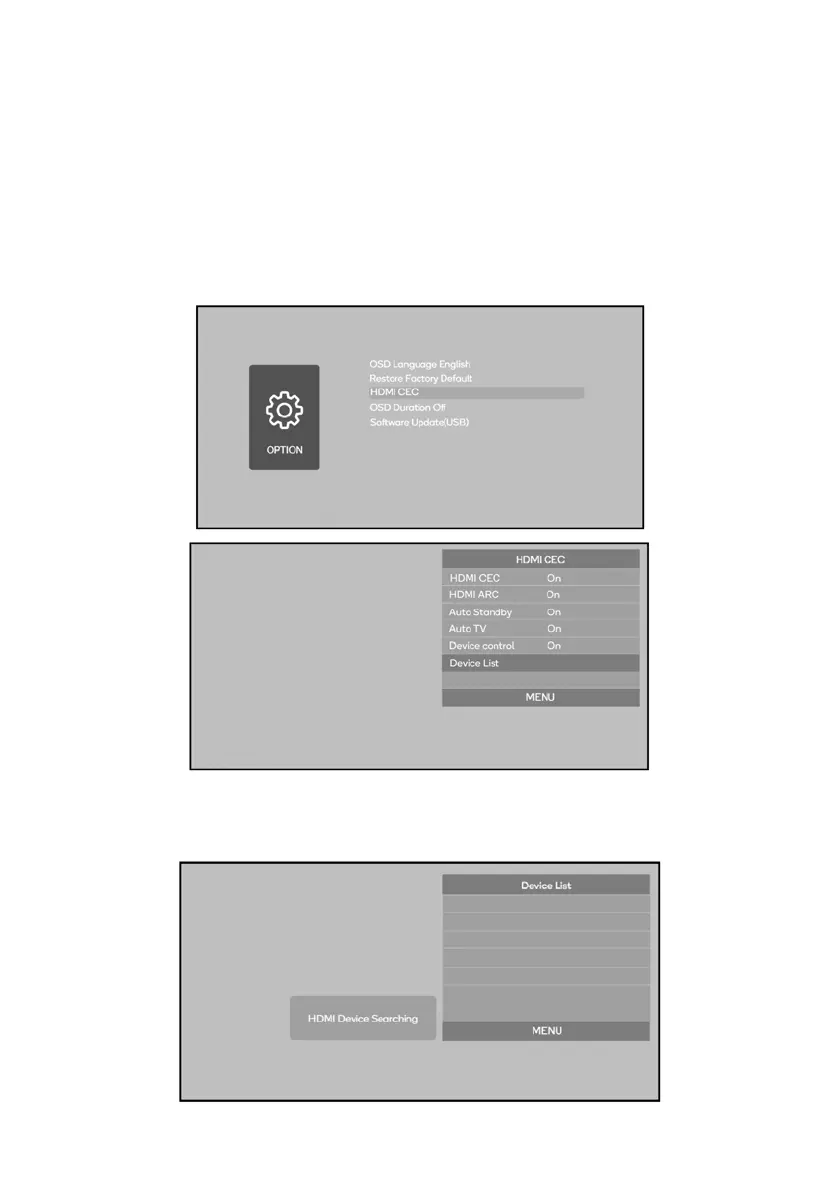
HDMI CEC:
CEC (Consumer Electronics Control) allows users to control multiple HD devices that
support CEC with one remote control, eliminating the need to use multiple remotes to
control your devices.
1. Connect device(s) which support CEC to the projector by HDMI.
2. Choose SETTING > OPTION > HDMI CEC > Device List
3. Search for and select the device(s).


 To Next Page