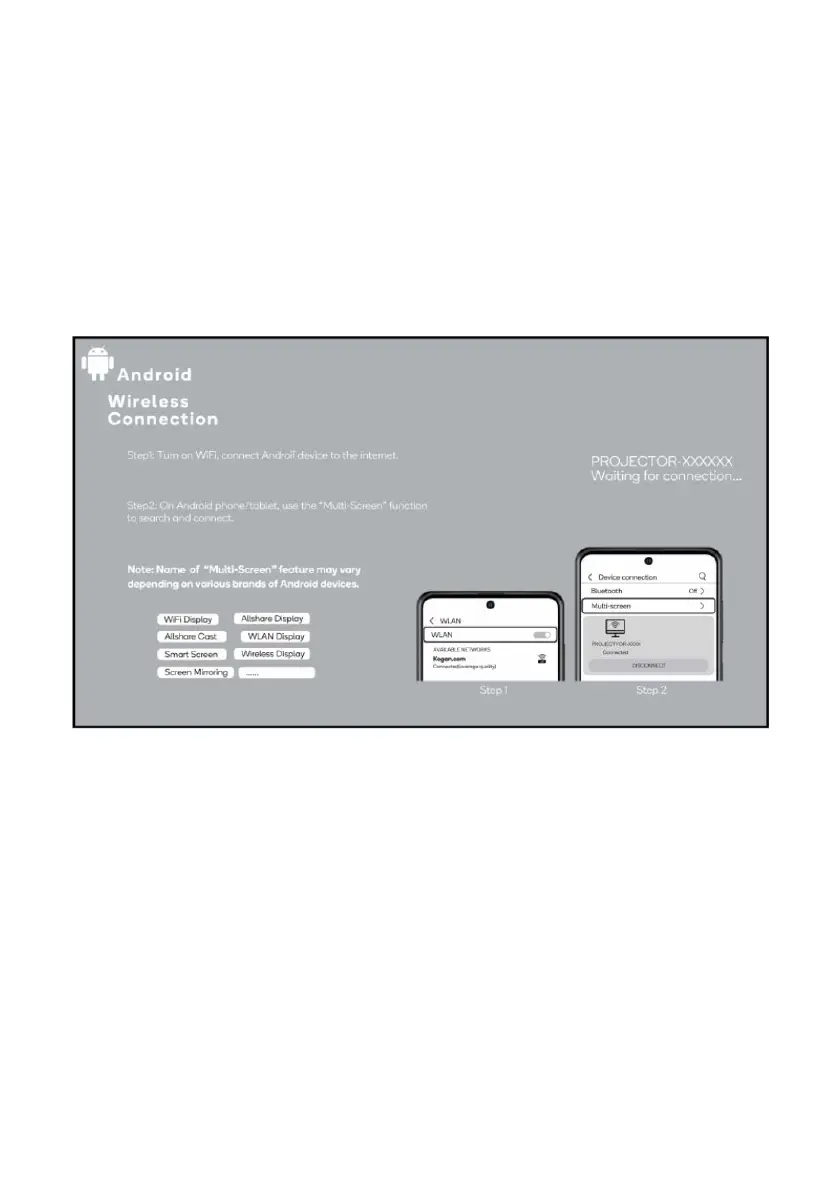
Wireless Connection (Android device only):
To activate this function, your Android device must support the Multi-Screen/Wireless
display.
1. Select “Mirroring” on the input source screen.
2. Ensure your Android device is connected to the internet
3. On your Android device use the “Multi-Screen" Function to search and connect to
the projector.
The fluency of screen mirroring with a wireless connection will be affected by the network
environment.
1. A bandwidth of 100Mbit or more is recommended when using screen mirroring,
2. Ensure your Android device is close to the projector when using a wireless
connection. A distance within 1 meter is recommended.


 To Next Page