7. Install the Remote Control
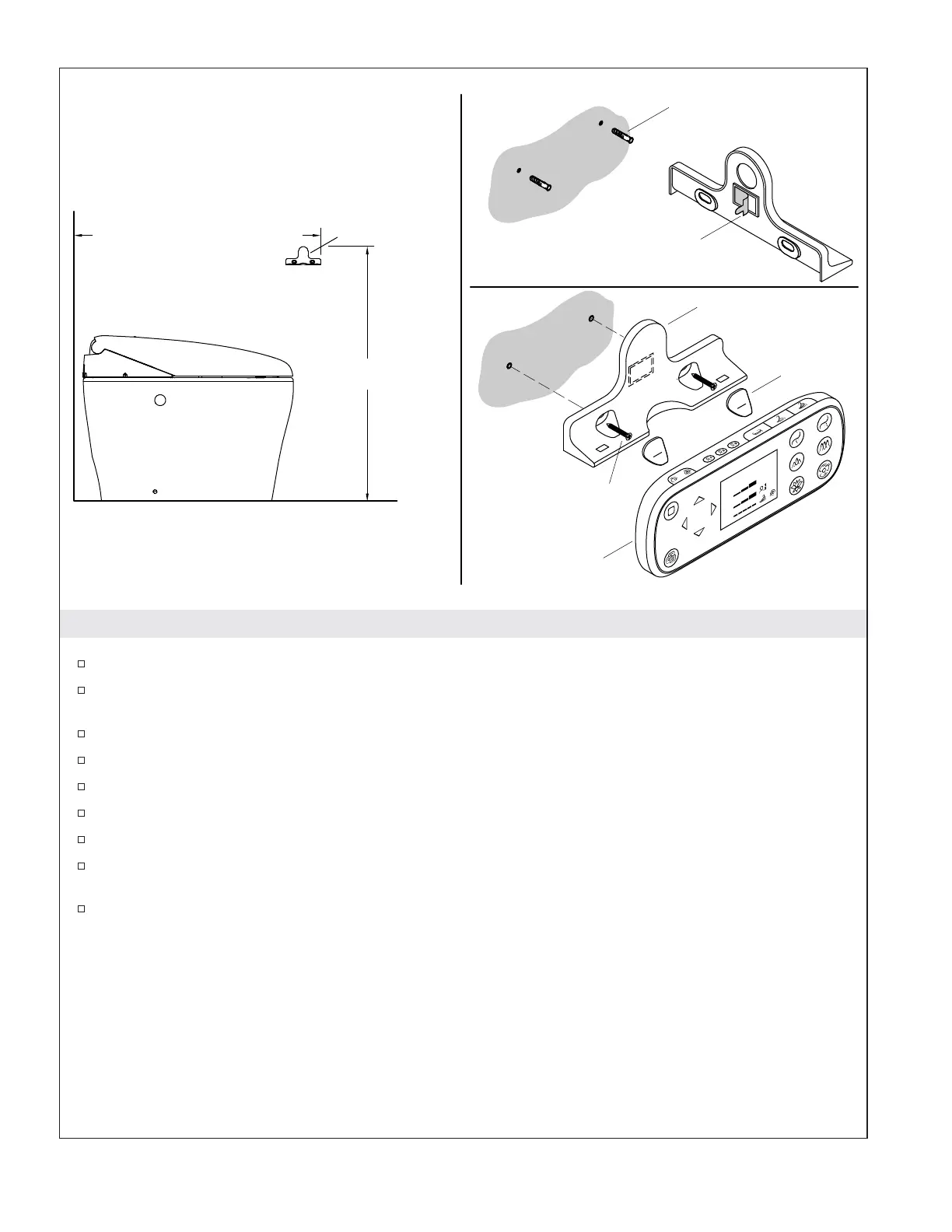
Determine the desired location of the remote control docking station.
Position the docking station in the desired location and mark the location of the screw holes.
Remove the docking station.
Drill 1/4″ holes at each of the screw locations.
Install anchors in each of the holes.
Remove the backing on the two-sided tape.
Attach the docking station to the wall using the two supplied screws.
Install the screw hole covers.
Install the batteries in the remote control (consult the Homeowners Guide for instructions if
needed).
Place the remote control on the docking station.
38" (965 mm) - 66" (1676 mm)
36"
(914 mm)
Docking Station
Remote Control
Screw
Double-Sided Tape
Anchor
Docking Station
Cover
1221754-2-C 10 Kohler Co.



 To Next Page
 Loading...