EasyManua.ls Logo

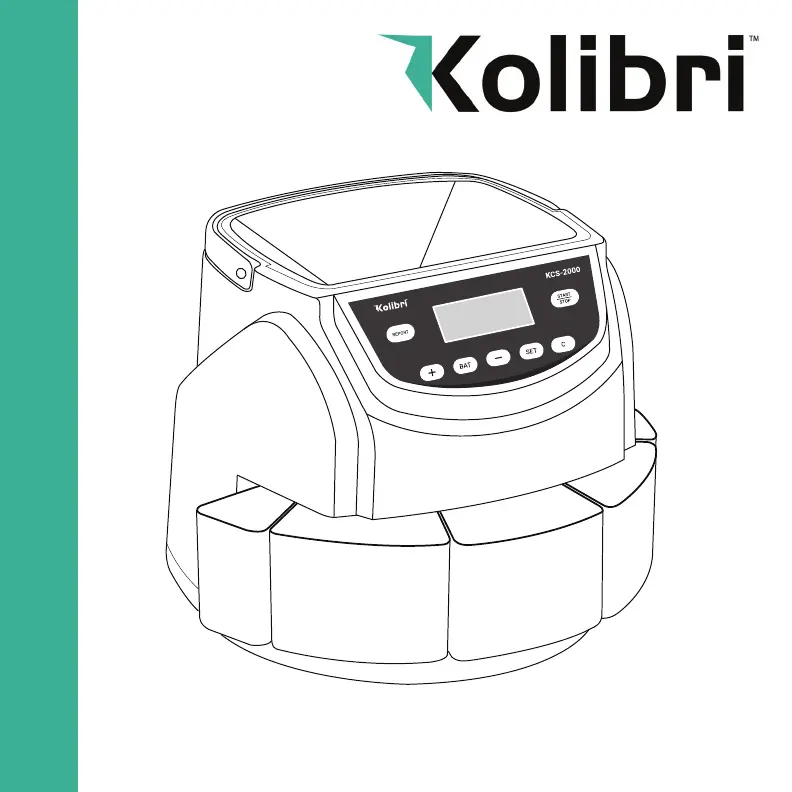
Kolibri KCS-2000 - User Manual

Kolibri KCS-2000
11 pages
Print Icon
To Next Page IconTo Next Page
Loading...
KCS-2000
Kolibri KCS-2000 Coin Counter & Sorter
USER MANUAL

Questions and Answers

  • R
    Rebecca BurgessJul 28, 2025
    What to do if my Kolibri Cash Counters & Coin Sorters does not function after being turned on?
    • A
      Autumn McgeeJul 28, 2025
      If your Kolibri Cash Counters & Coin Sorters unit does not function after being turned on, first, ensure the power cord is properly connected. If the issue persists, unplug the machine from the power source and replace the fuse (F2AL250V) located on the bottom of the machine.
  • H
    hutchinsonbrianAug 2, 2025
    How to fix error E1-E8 on Kolibri Cash Counters & Coin Sorters?
    • D
      Danielle ReyesAug 2, 2025
      If the Kolibri Cash Counters & Coin Sorters displays error codes E1 through E8, it indicates that a counting sensor may be dusty or blocked by a foreign object. To resolve this, clean the counting sensor using an air duster and cleaning swab. Also, inspect the coin outlet openings for any foreign materials like rubber bands or paper.
  • K
    Kevin RamirezAug 9, 2025
    What to do if Kolibri Cash Counters & Coin Sorters shows error EA?
    • J
      Julie HarveyAug 9, 2025
      If the Kolibri Cash Counters & Coin Sorters displays error code EA, it means there are coins present in the hopper when the machine is turned on, or the coin sensor is defective. Press the "START/STOP" button to clear the error. Empty any coins in coin trays back into the hopper.
  • T
    Tyler WeeksAug 14, 2025
    How to unjam coins in Kolibri Cash Counters & Coin Sorters?
    • J
      Jennifer GreeneAug 15, 2025
      If coins are jammed in your Kolibri Cash Counters & Coin Sorters, turn off the machine. Remove the three housing screws and carefully lift up the housing. Remove any foreign objects or coins from the distribution plate. Turn the unit on and restart counting.
  • E
    Emily WardAug 20, 2025
    What does error E9 mean on Kolibri Cash Counters & Coin Sorters?
    • C
      Cheyenne PenaAug 21, 2025
      If the Kolibri Cash Counters & Coin Sorters displays error code E9, it indicates that the running sensor isn't detecting the rotation of the coin platter. Clean the running sensor. Inspect the interior of the machine for any foreign material preventing the coin platter from rotating.

Summary

Safety Information

General Safety Precautions

Basic safety precautions for operating the KCS-2000 coin counter and sorter.

Introduction to the Kolibri KCS-2000

About the Kolibri KCS-2000

Introduction to the Kolibri KCS-2000 coin sorter and its features.

Box Contents

Lists the items included in the KCS-2000 package.

Getting Started

Powering Up and Counting Coins

Instructions for powering on and counting coins with the KCS-2000.

Batch Quantities and Wrapping

Setting batch quantities and using coin tubes for wrapping coins.

Adding Mode

Explanation of the ADD mode for coin counting.

Specifications and Views

Specifications

Technical specifications of the Kolibri KCS-2000 coin counter.

Front and Rear Views

Diagrams identifying the parts of the KCS-2000 unit.

Control Panel

Control Panel Overview

Overview of the KCS-2000 control panel buttons and their functions.

Maintenance

Regular Maintenance Procedures

Recommended maintenance procedures for the KCS-2000 to ensure longevity.

Troubleshooting and Errors

Error Message Resolution

Guidance for resolving common error messages displayed by the KCS-2000.

Other Problem Resolution

Troubleshooting steps for common operational issues not indicated by error messages.

Warranty and Support

Warranty Information

Information about the KCS-2000 warranty coverage and terms.

Contacting Technical Support

How to contact Kolibri technical support for assistance and required information.

Kolibri KCS-2000 Specifications

General IconGeneral
Hopper Capacity3000 coins
Counting SpeedUp to 270 coins/minute
DisplayLCD
Dimensions320 x 320 x 270 mm
Weight4.5 kg
Coin ThicknessUp to 3.5 mm
Power Supply220V, 50Hz