8
ASSEMBLY INSTRUCTIONS
Assembly - Wall Mount Installation
4.
3.
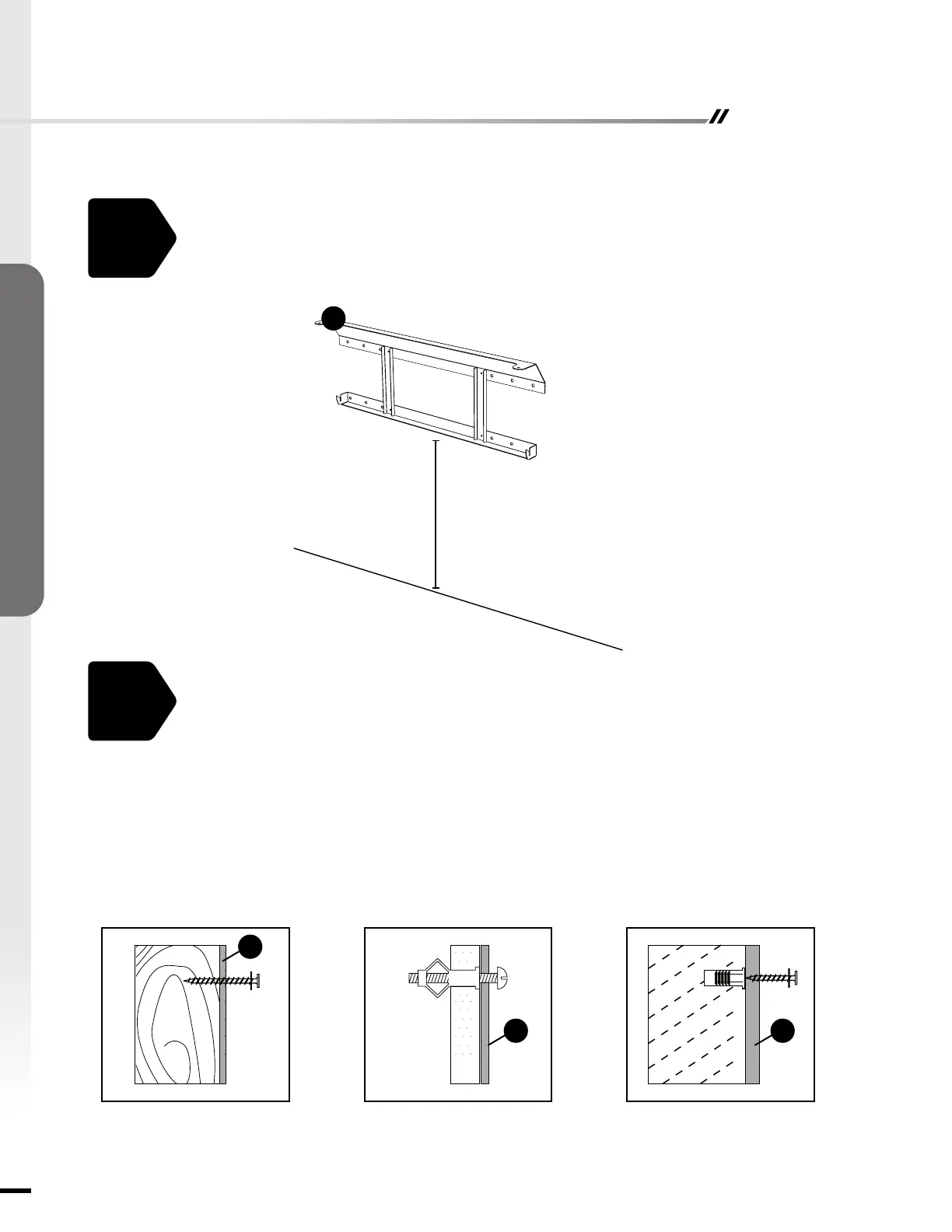
Select the hardware appropriate for mounting bracket installation.
STUD WALL
• Secure the mounting bracket (D) to wall using screws (AA) at marked stud locations.
DRYWALL
• Drill holes at marked locations and secure the mounting bracket (D) to the wall with toggle
bolts and washers (not included).
CONCRETE WALL
• Drill 5/16-inch holes at marked locations, then insert wall anchors (BB) into holes. Secure
the mounting bracket (D) to wall using screws (AA).
STUD WALL DRYWALL CONCRETE WALL
Choose a wall location to attach the mounting bracket (D). Position the mounting bracket
(D) in the desired location. Use a level to align the bracket and mark the four holes with a
pencil.
D
D
D D
AA
BB
AA
Minimum distance
between the object:
11.5 inch


 To Next Page