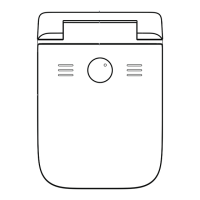
Type-C Charging Cable
PrinCube Manual
1. Remove the protective case and protective film on the ink cartridge;
2. Remove the printer base and pull the toggle switch to ‘OPEN’, then open the
transparent cover;
3. Put the cartridge into the printer's ink tank, making sure that it’s fully secured.
Close the transparent cover and pull the toggle switch to ‘LOCK’.
Notes:
To open and lock the transparent cover, keep the cover in the closed position and
then toggle the switch;
If the ink cartridge is not used for a long time, it is recommended to put it back in
the cartridge protective case.
1. Turn on the power switch on the bottom of the printer and wait for 5 seconds to
get ready to go with a beep.
2. Search for WiFi with your device (such as a mobile phone). Find ‘PrinCube-XXXX’
and connect. (Default password: 12345678)
3. Use the camera app to scan the QR code on the inner side of the base or enter
the address 192.168.44.1 or [fd44::1] in your browser to open the app.
2. Connect the USB cable to your device (such as a laptop).
3. For MacOS and Linux, no drive required. For Windows, should install driver first:
win_driver
4. Enter the address 192.168.88.1 or [fd88::1] in your browser to open the
Basic Operation
Install cartridge
Open APP
Connect through WiFi:
Connect through USB:


 To Next Page
 Loading...