3
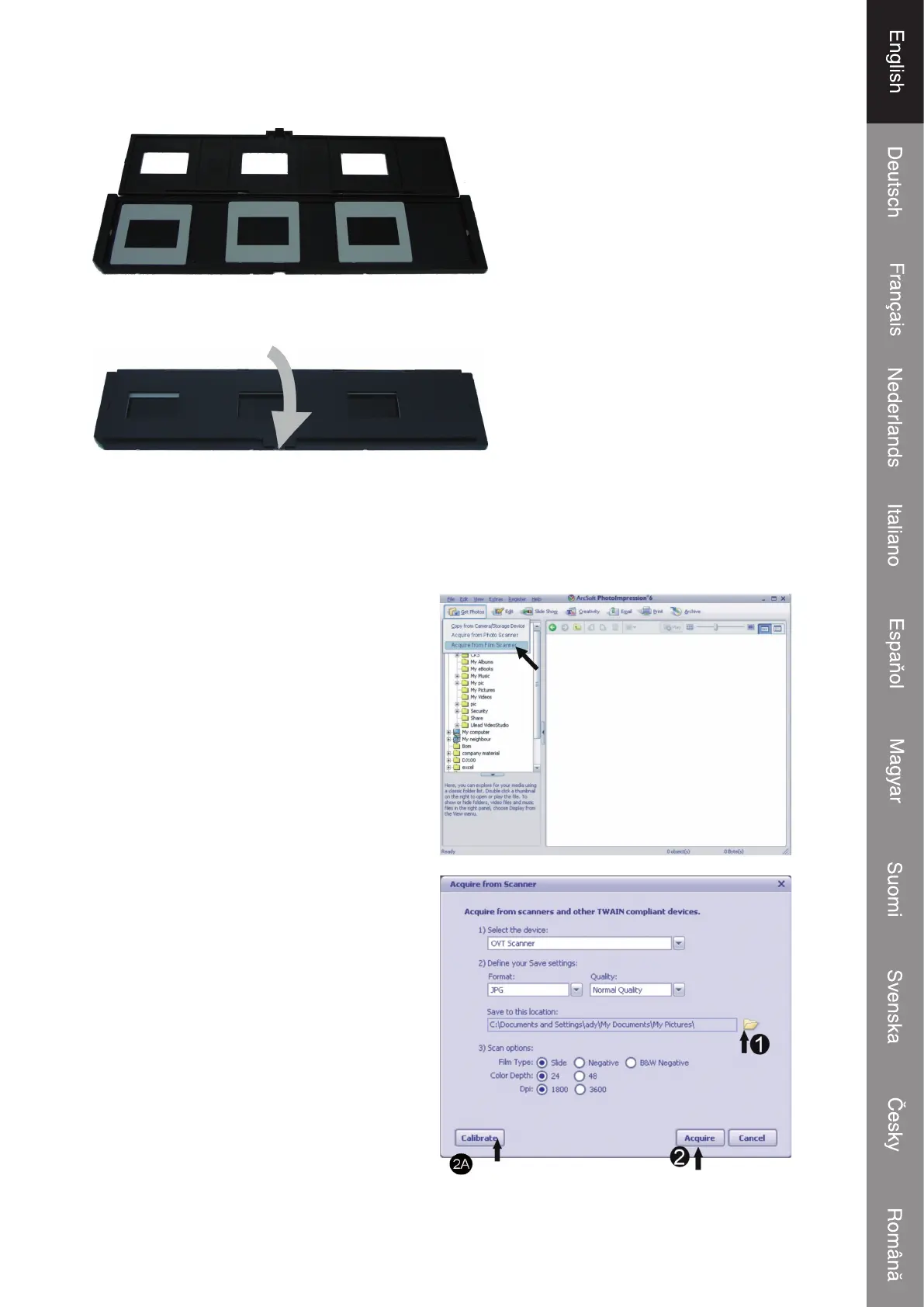
2. Put a slide in the slide slot as shown
3. Close the slide holder
3 Getting started with Arcsoft PhotoImpression 6
• Click on the “PhotoImpression 6” icon on the desktop. Follow the instructions to
open the software.
• Go with the cursor to the upper left
corner of the window and click on
“Get Photos”. Select “Acquire from
Film Scanner”. A new window will be
opened.
• 1: Choose where you want to save your
pictures.
• 2: When the scanner is used for the
First time, calibrate the scanner
fi rst. You only need to calibrate the
device once. Afterwards you can
immediately click on Acquire. The
next window will appear.
Only for fi rst time user


 To Next Page