2
Software Installation
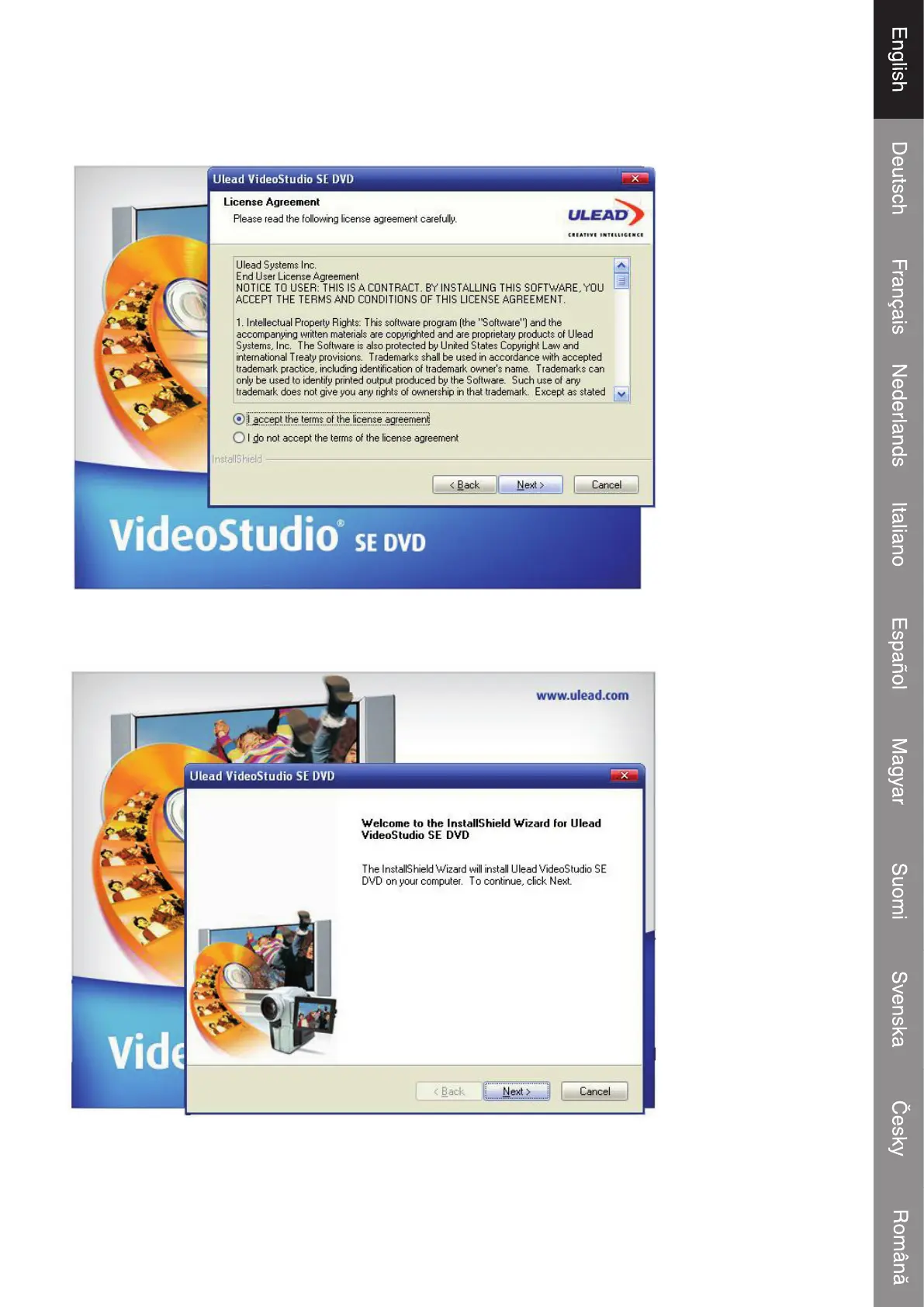
Please insert the “Software CD” into your CD drive, Select your language for the installation and click
”Install Video-Studio 8” and click Next” or/and “Install”.
You need to enter your desired user name, and the serial number which can be found on the driver
cd case.
Click “fi nish” to complete setup,


 To Next Page