6
3 steps installation
Install Konyks APP
• Download the «Konyks» app on your smartphone
and open it • Click «Register» • Enter your login details
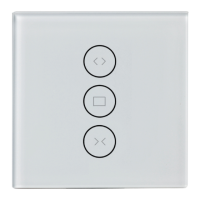
Install Vollo Max Switch
• Disconnect the power supply • Connect wires accor-
ding to the diagram • Insert the switch into the wall •
Restore the power supply
• Reset: Press the bottom button and hold for approx.
20 sec. until the light flashes quickly • Open the Konyks
app on your Smartphone
• Click "+" on the home page and choose "Switches"
• Confirm that the LED is flashing quickly • Enter the
Wi-Fi password of your Router or Box Internet (2.4 Ghz
network only)
• Change the name of Vollo Max in the Konyks app so
that it matches the desired usage, for example "room
shutter"
Connect with Google Home or Amazon Alexa
• Google Home : Open the Google Home app • Click the «+»
icon, then Set up device / Works with Google and choose
• Amazon (Echo, Alexa) : Open the Alexa app • Choose Skills
and select
Enter your credentials used to sign in to the Konyks app


 To Next Page