VOORUI
Interface and Data Cable Connection
Instructions
HDMI HDMI
ltd
Audio
DC
port
O
HDMI IN 1
HDMI IN 2
O
Port Description
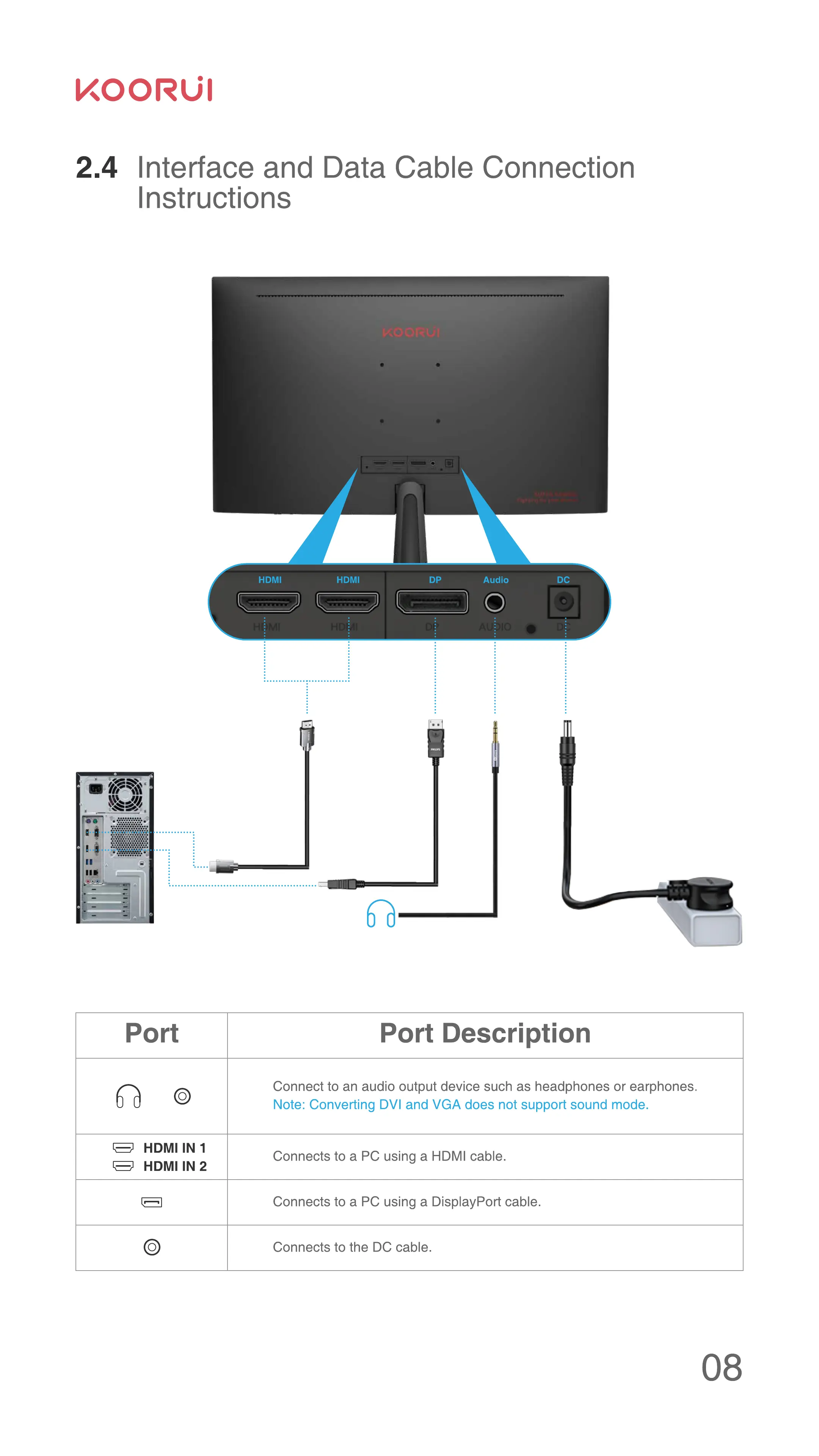
Connect to an audio output device such as headphones or earphones.
Note: Converting DVI and VGA does not support sound mode.
Connects to a PC using a HDMI cable.
Connects to a PC using a DisplayPort cable.
Connects to the DC cable.


 To Next Page
 Loading...

