VOORUI
Cool
4:3
Color
temperature
Aspect Ratio
Input Source
Warm
User
DCI-P3
AUTO
HDMI 1
HDMI 2
DisplayPort
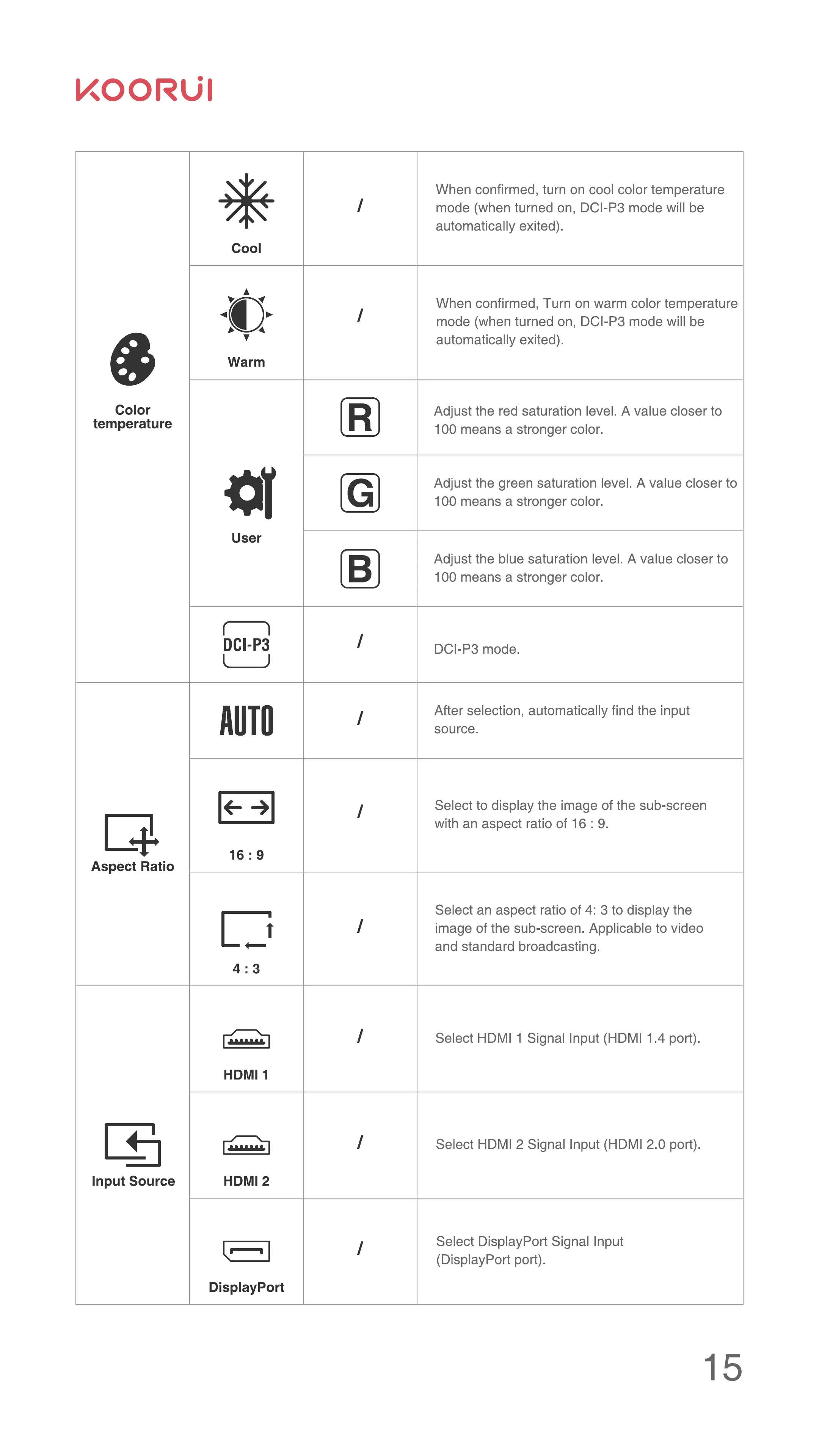
When confirmed, turn on cool color temperature
mode (when turned on, DCI-P3 mode will be
automatically exited).
When confirmed, Turn on warm color temperature
mode (when turned on, DCI-P3 mode will be
automatically exited).
Adjust the red saturation level. A value closer to
100 means a stronger color.
Adjust the green saturation level. A value closer to
100 means a stronger color.
Adjust the blue saturation level. A value closer to
100 means a stronger color.
DCI-P3 mode.
After selection, automatically find the input
source.
Select to display the image of the sub-screen
with an aspect ratio of 16 : 9.
Select an aspect ratio of 4: 3 to display the
image of the sub-screen. Applicable to video
and standard broadcasting.
Select HDMI 1 Signal Input (HDMI 1.4 port).
Select HDMI 2 Signal Input (HDMI 2.0 port).
Select DisplayPort Signal Input
(DisplayPort port).
15


 To Next Page
 Loading...

