VOORUI
Interface and Data
Instructions
HDMI 1.4 HDMI 2.0 DP
nn
Cable
V.OORUI
AC IN
Audio
Connection
AC
port
Port Description
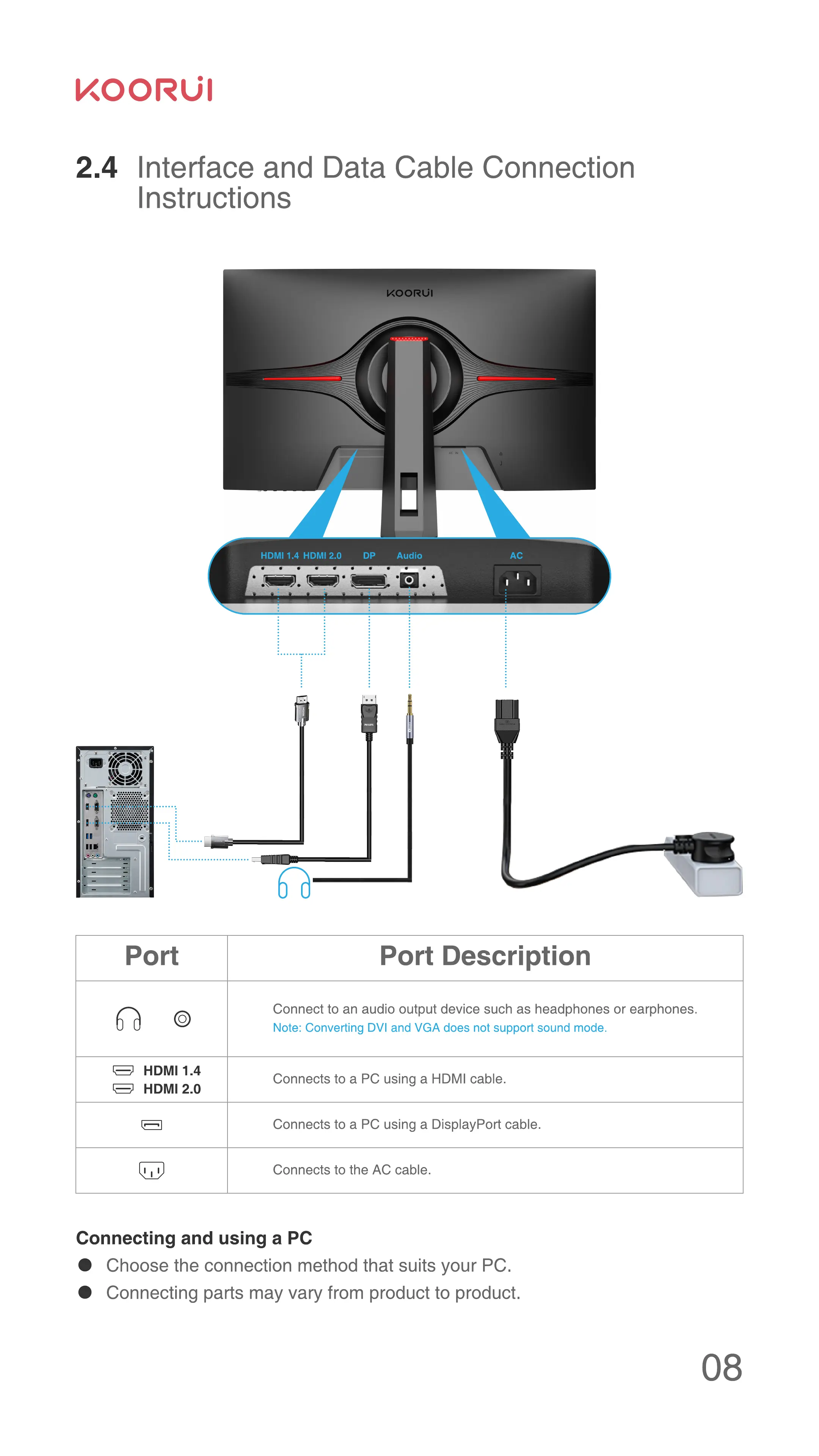
Connect to an audio output device such as headphones or earphones.
Note: Converting DVI and VGA does not support sound mode.
HDMI 1.4
Connects to a PC using a HDMI cable.
HDMI 2.0
Connects to a PC using a DisplayPort cable.
Connects to the AC cable.
Connecting and using a PC
Choose the connection method that suits your PC.
Connecting parts may vary from product to product.



 To Next Page