VOORUI
2.3.2 Monitor Holder removal
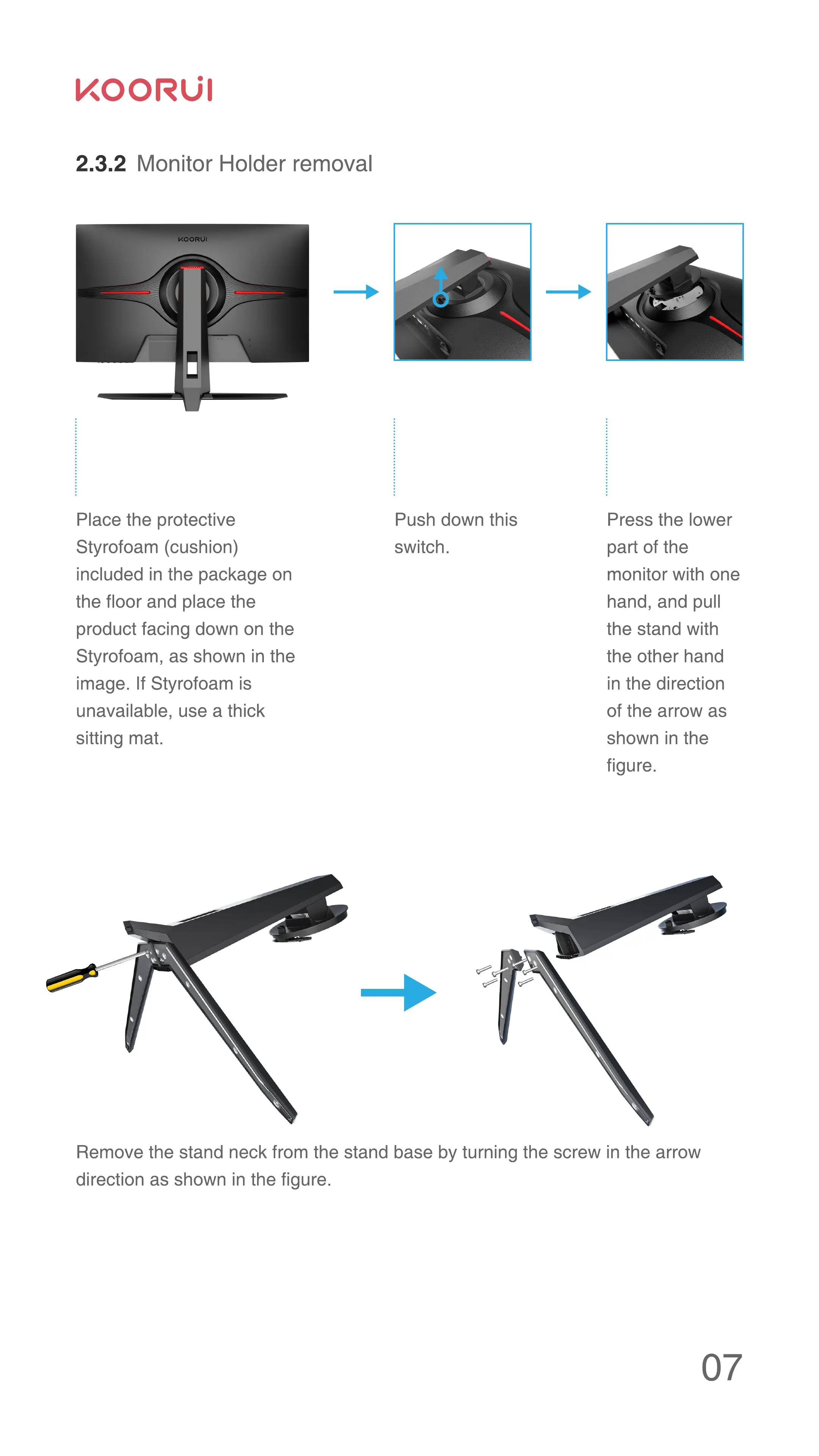
Place the protective
Styrofoam (cushion)
included in the package on
the floor and place the
product facing down on the
Styrofoam, as shown in the
image. If Styrofoam is
unavailable, use a thick
sitting mat.
Push down this
switch.
Press the lower
part of the
monitor with one
hand, and pull
the stand with
the other hand
in the direction
of the arrow as
shown in the
figure.
Remove the stand neck from the stand base by turning the screw in the arrow
direction as shown in the figure.



 To Next Page