Need help?
Do you have a question about the Korenix JetNet 3205G Series and is the answer not in the manual?
Overview of the switch's industrial capabilities, rugged design, and operating range.
Details on the SFP port for flexible fiber optic connectivity and transceiver options.
Explanation of the dry relay output for fault power event notification.
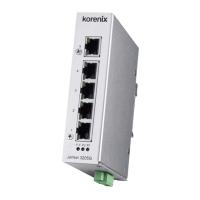
Lists the main features and specifications for different models of the JetNet 3205G series.
Itemized list of what is included in the JetNet 3205G series product package.
Provides the physical dimensions of the JetNet 3205G series switches with diagrams.
Describes the front panel components, ports, and LED indicators for various models.
Details the bottom side of the switch, including the terminal block and earth ground screw.
Step-by-step guide on how to connect the redundant DC power inputs to the switch.
Instructions on how to connect the dry relay output for fault power event notification.
Explains the status and meaning of each LED indicator on the switch.
Information on RJ-45 and SFP ports, including wiring and cabling for network connections.
Explains RJ-45 port functionality and cabling for 10/100/1000Mbps connections.
Details on SFP port, hot-swappable function, and transceiver types.
Instructions for mounting the switch using the DIN-Rail clip and track.
Steps for installing and testing the switch, including power inputs and network connections.
 General
| Series | JetNet 3205G Series |
|---|---|
| Ports | 5 |
| Switch Capacity | 10 Gbps |
| Port Type | 10/100/1000Base-T(X) |
| Jumbo Frame | 9KB |
| Power Input | 12 ~ 48VDC redundant dual input |
| Operating Temperature | -40°C to 75°C |
| Mounting | DIN-Rail, Wall |
| Dimensions | 135 mm (H) x 105 mm (D) |

 To Next Page