
 Need help?
Do you have a question about the Kores ENDURA 2801 and is the answer not in the manual?
Lists all items included in the printer package.
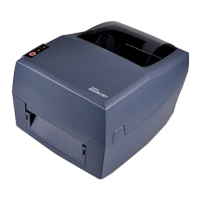
Details the external and internal parts of the printer.
Provides the physical dimensions of the printer.
Instructions for loading paper and ribbon into the printer.
Steps for connecting the printer to a power source.
Connecting external devices like USB, serial, or Bluetooth.
Details on connecting USB, RS-232C, and RJ45 cables.
Steps for establishing a Bluetooth connection with the printer.
Explains how the printer detects different types of paper.
Sensor adjustment for continuous paper.
Sensor adjustment for standard and double-row labels.
Sensor adjustment for labels with punched holes.
Sensor adjustment for blackmark paper.
Overview of the printer's operation panel and LEDs.
Covers powering on/off, feed button functions, and calibration.
How to turn the printer on and off.
Explains the functions of the Feed button in various states.
Manual procedure for printer calibration.
How to print a self-test page.
Pinout and signal names for the USB interface.
Details on Serial and Ethernet port connections.
How to clean the media sensor to ensure proper detection.
Procedure for cleaning the thermal print head for better print quality.
Instructions for cleaning rollers and the paper path.
Steps before installing the utility software.
How to use the Label Printer Utility software.
Lists supported operating systems for the driver.
Instructions for downloading the Seagull driver.
Step-by-step guide to install the Seagull driver.
How to configure and use the installed driver.
Setting up print job properties like stock, orientation, and effects.
Accessing general printer settings and printing a test page.
Steps to uninstall the Seagull Windows driver.
Overview of the BarTender Ultralite program.
Instructions for preparing to install BarTender.
Step-by-step guide to install BarTender Ultralite.
How to use BarTender for creating and printing labels.
Configuring document settings and editions within BarTender.
Editing barcode and text elements on a label.

 To Next Page
 General