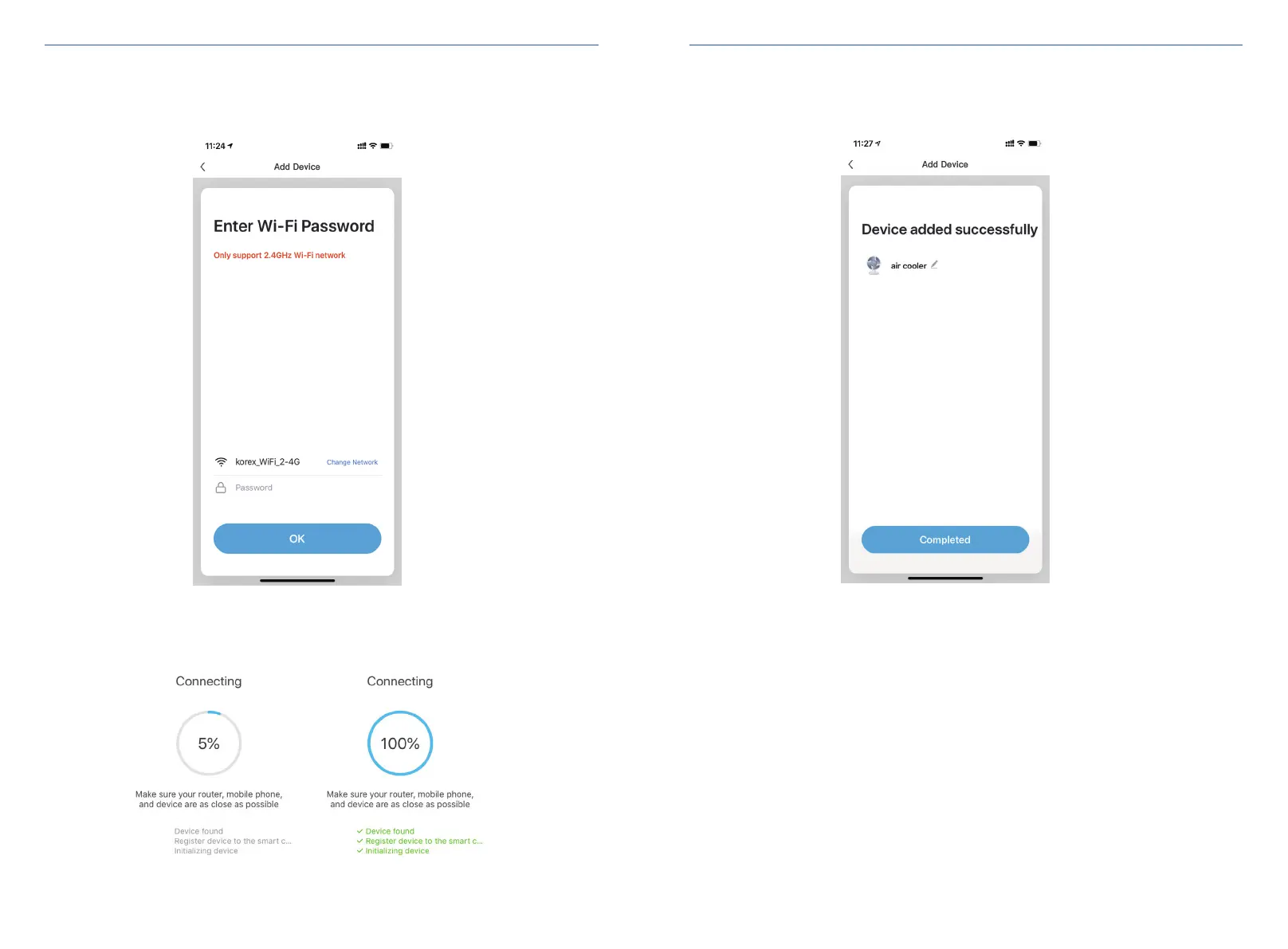
4. The App will show you a list of nearby WiFi networks. Select your home network, enter your
password, and connect to it through the App.
If you do not see your WiFi Network on the list, press "Change Network."
5.Wait for your device to finish connecting.
6.Once your device is connected,it is ready to use.
11 12


 To Next Page