EasyManua.ls Logo

Korus V400 Series - User Manual

Korus V400 Series
36 pages
Print Icon
To Next Page IconTo Next Page
Loading...
Owners Manual
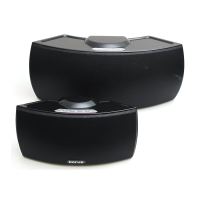
Korus V400 and V600 Series Wireless Speakers
Manuel d’utilisation
Haut-parleurs sans fil des séries V400 et V600 de Korus
KorusSound.com

Other manuals for Korus V400 Series

Question and Answer IconNeed help?

Do you have a question about the Korus V400 Series and is the answer not in the manual?

Summary

Speaker Buttons and Lights

Power Button and Indicator

Controls speaker power and displays operational status.

Connect Button and Indicator

Manages Baton pairing and search status.

Speaker Connectors

Setting Up Your First Baton

Adding Another Baton to the Speakers Favorites List

Switching Between Previously Configured Batons

Using a 3.5 mm Audio Cable

Understanding Your Wireless Range

Using the Korus Volume Control App

Positioning Your Speaker Correctly

Installing Batteries for the Korus V600 Series

Troubleshooting

Summary

Speaker Buttons and Lights

Power Button and Indicator

Controls speaker power and displays operational status.

Connect Button and Indicator

Manages Baton pairing and search status.

Speaker Connectors

Setting Up Your First Baton

Adding Another Baton to the Speakers Favorites List

Switching Between Previously Configured Batons

Using a 3.5 mm Audio Cable

Understanding Your Wireless Range

Using the Korus Volume Control App

Positioning Your Speaker Correctly

Installing Batteries for the Korus V600 Series

Troubleshooting

Korus V400 Series Specifications

General IconGeneral
BrandKorus
ModelV400 Series
CategorySpeakers
LanguageEnglish

Related product manuals