32
EXPLORER MODE
Explorer mode
If Chipz is in standby mode, press the button on his “forehead” twice in a row
to activate explorer mode.
If Chipz is in follow-me mode, you just have to press the button once.
Chipz indicates the explorer mode by only lighting up his right eye briefly.
You can always switch between explorer mode and follow-me mode by pressing
the button.
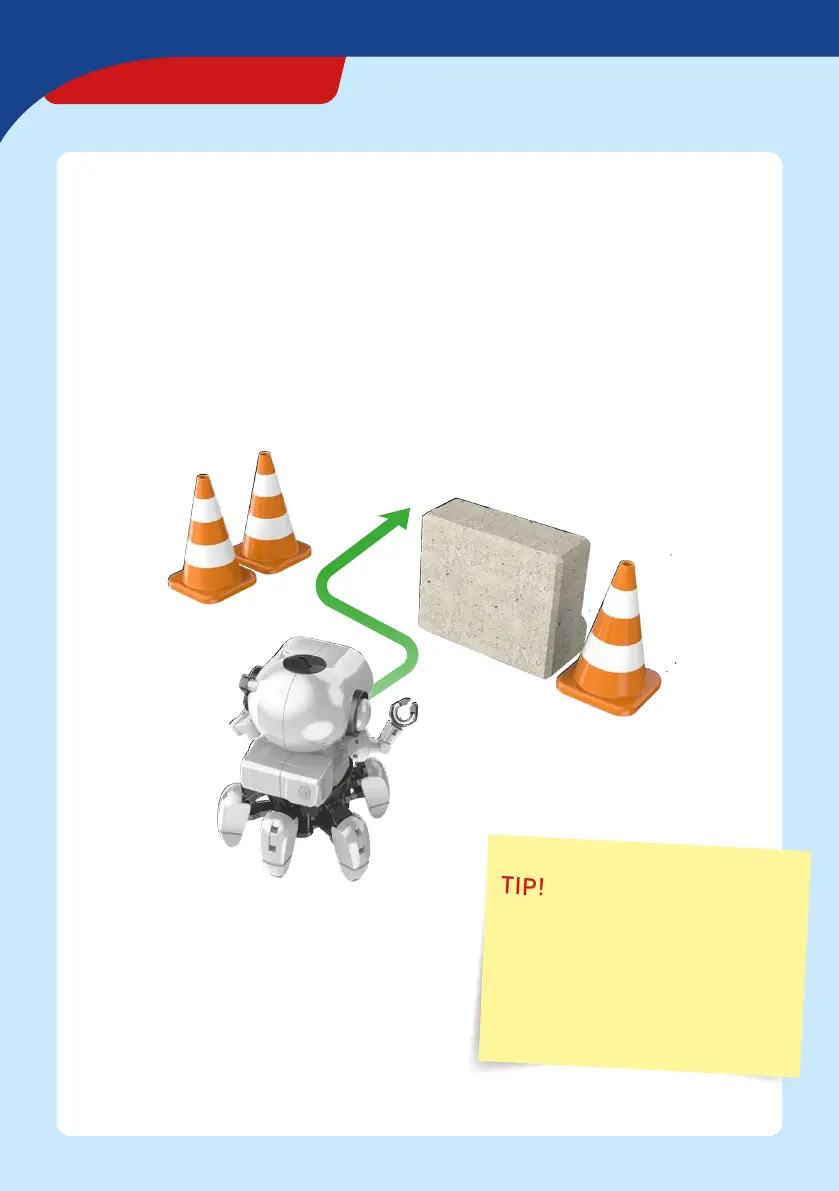
Chipz is pretty stubborn in explorer mode.
He will simply keep going straight ahead until
he encounters an obstacle. Chipz detects
obstacles with his infrared sensors and
avoids them on is own by turning his upper
body and changing direction.
TIP!
It’s really fun to build a labyrinth
of books or boxes for Chipz and send
him into it in explorer mode.
You’ll see: Sooner or later, Chipz will
find a way out of the labyrinth on his
own.


 To Next Page