EasyManua.ls Logo

Koukaam IPCorder KNR-1004 - User Manual

Koukaam IPCorder KNR-1004
8 pages
Print Icon
To Next Page IconTo Next Page
Loading...
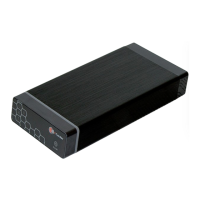
IPCorder KNR-1004/1008
Quick Installation Guide
Thank you for purchasing this KOUKAAM product. Before you start using it, please read this installation guide which
will quickly guide you through the setup process. For more information please refer to the
User manual available
on the enclosed CD or download it from
http://www.ipcorder.com.
Important safety instructions
The purchased device works under voltage. If wrongly handled the device could be damaged or cause injury to the
person handling the device.
The manufacturer is not liable for potential damage caused by incorrect usage or placing the device in an unsuitable
environment.
The device is not designed for outdoor use, operational temperature 5 - 40 °C.
Do not use the device in an environment with strong vibrations.
Unauthorized modification of this device can damage it or cause a fire.
Prevent from contact with fluids; do not expose the device to high temperatures.
Protect the device from falling.
It is permitted to use accessories only intended for the device (hard disks, cables, etc.).
In case of the malfunction of the device, contact your dealer.
The manufacturer is not liable for damage to the product that is caused by unusual or unforeseeable circumstances
(force majeure).
This guide is intended for IPCorder KNR-1004/1008. Individual models differ by the maximum possible number
of simultaneously connected cameras or videoservers:
KNR-1004: up to 4 cameras or videoservers
KNR-1008: up to 8 cameras or videoservers
1
Question and Answer IconNeed help?

Do you have a question about the Koukaam IPCorder KNR-1004 and is the answer not in the manual?

Summary

Important Safety Instructions

Model Specifications

Details model differences in camera/videoserver capacity.

Package Contents

Hardware Installation Guide

Hard Drive Installation

Step-by-step guide for installing the hard drive into the IPCorder.

Network Setup and Device Discovery

Using the IPCorder Discover Utility

Guide on using the IPCorder Discover tool to find the device on the network.

Device Access and Initial Configuration

Service Mode and Storage Setup

Accessing service mode and configuring storage.

Login and Configuration Wizard

Default login credentials and the configuration wizard.

LED Indicators and Status Signals

Front Panel LED Indicators

Explains the Network, Storage, Power, and Info LEDs on the front panel.

Back Panel LED Indicators

Details the LED signals on the back panel of the IPCorder.

Button Functions and Alerts

ON;OFF and Reset Button Operations

Describes the functions of the ON/OFF and Reset buttons.

Acoustic Signals and Temperature Alerts

Details acoustic signals for power, temperature, and logging.

System Requirements

Software and Hardware Prerequisites

Lists required operating systems, browsers, Java, and hardware.

Media Playback Requirements

Information on playing video files and necessary codecs.

Support and Legal Information

Technical Support Contact

Provides contact details and resources for technical assistance.

Warranty and Liability Disclaimers

Details manufacturer disclaimers regarding warranty and liability.

Koukaam IPCorder KNR-1004 Specifications

General IconGeneral
ModelKNR-1004
TypeNetwork Video Recorder
CategoryNetwork Hardware
ManufacturerKoukaam
Product LineIPCorder
Video Input Channels4
Network Interface10/100/1000 Mbps Ethernet
USB Ports2 x USB 2.0
Recording ResolutionUp to 1920 x 1080
Operating SystemEmbedded Linux
Video CompressionH.264
Power Supply12V DC
Video OutputVGA
Audio InputYes
Audio OutputYes
Hard Drive Support1 x SATA HDD