EasyManua.ls Logo

Kowa SIX Version II - Interchanging Viewfinders and Viewing Screens; Attaching and Detaching Viewfinders; Attaching and Detaching Viewing Screens

Kowa SIX Version II
46 pages
Print Icon
To Next Page IconTo Next Page
To Previous Page IconTo Previous Page
Loading...
INTERCHANGING
VIEWFINDERS,
VIEWING
SCREENS
Interchanging
Viewfinders
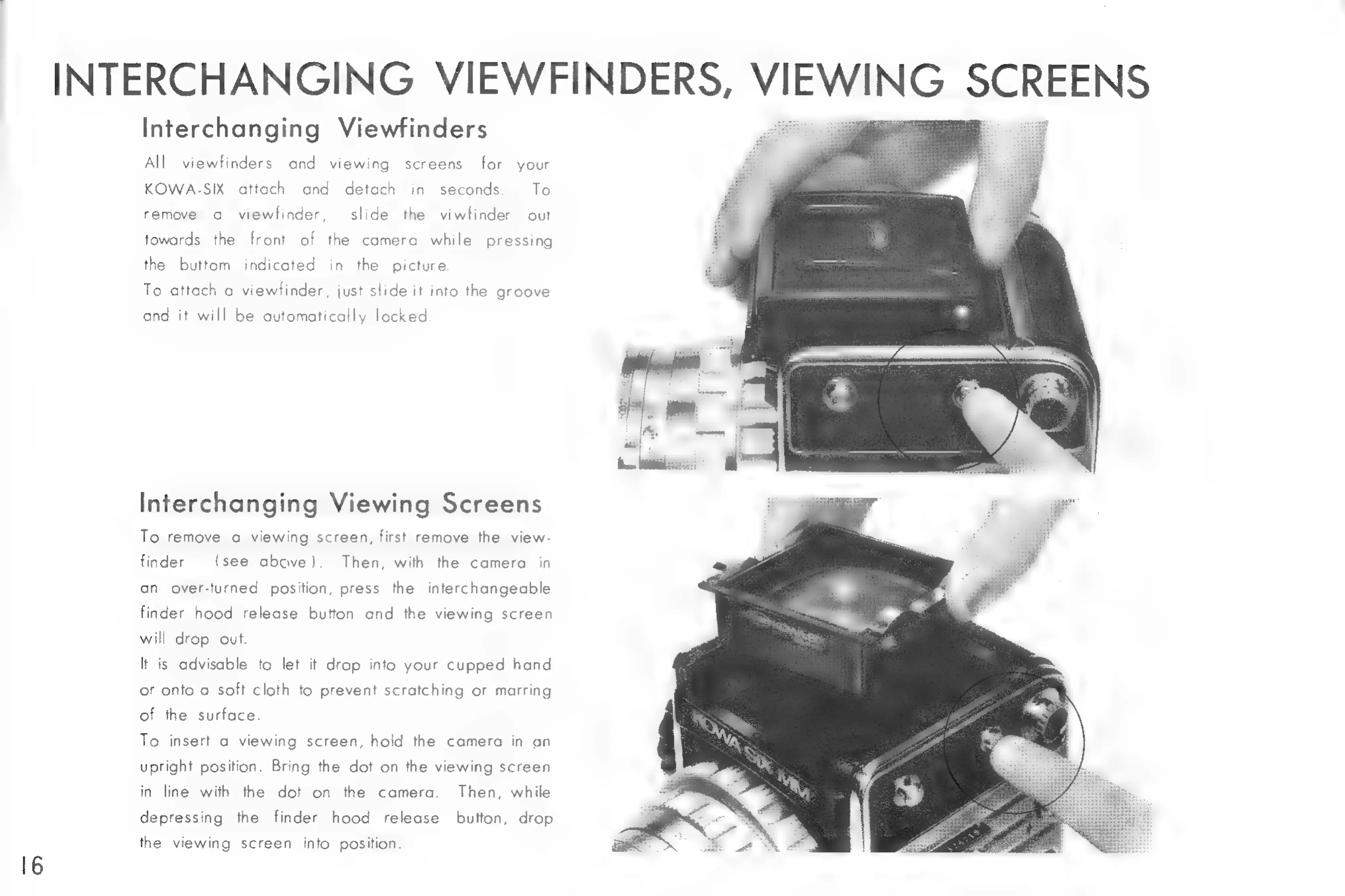
All
viewfinders
and
viewing
screens
for
your
KOWA-SIX
attach
and
detach
in
seconds
To
remove
a
viewfinder,
slide
the
viwfinder
out
towards
the
front
of
the
camera
while
pressing
the
buttom
indicated
in
the
picture
To
attach
a
viewfinder,
just
slide
it
into
the
groove
ond
it
will
be
automatically
locked
Interchanging
Viewing
Screens
o
remove
a
viewing
screen,
first
remove
the
view
finder
(see
above).
Then,
with
the
camera
in
an
over-turned
position,
press
the
interchangeable
inder
hood
release
button
and
the
viewing
screen
will
drop
out.
t
is
advisable
to
let
it
drop
into
your
cupped
hand
or
onto
a
soft
cloth
to
prevent
scratching
or
marring
of
the
surface
o
insert
a
viewing
screen,
hold
the
camera
in
an
upright
position.
Bring
the
dot
on
the
viewing
screen
in
line
with
the
dot
on
the
camera.
Then,
while
depressing
the
finder
hood
release
button,
drop
the
viewing
screen
into
position.

Related product manuals