

EasyManua.ls Logo

Kreator KRT692010 - User Manual

Kreator KRT692010
2 pages
Print Icon
To Next Page IconTo Next Page
Loading...
KRT692010 KRT692012 KRT692015 KRT692019 KRT692030EN
Copyright © 2018 VARO P a g e | 1 www.varo.com
OPERATION INSTRUCTIONS
CAUTION: Do not keep the keys in the safe.
1 OPEN THE SAFE FOR THE FIRST TIME
To open the safe for the first time, remove the small plastic cover “Z” (see diagram 1) on the
front panel, insert the key into the lock and turn it counter-clockwise, at the same time, turn the
knob counter-clockwise and open the door.
2 INSTALLING THE BATTERIES.
The safe requires 4 x size “AA”(1.5V/R06) batteries.
The batteries compartment Y (see diagram 2) is located on the back of the door. Remove the
battery cover and install the batteries into the compartment. Ensure the batteries are fitted with
the correct corresponding polarity. Once the batteries are installed, close the battery
compartment. The system will scan the status of the electronic lock system automatically. If it
is OK, the display will show ‘good’ (see diagram 1). Use of alkaline batteries is recommend.
3 PROGRAMMING THE CODE
The safe is supplied with user code (factory preset: 0000) and master code (factory preset:
8888). For your safety, after installing the batteries, you should change the codes before using
your safe.
3.1 Changing the user code
With the safe door open, press the red set button (X) (see diagram 2) inside the battery
compartment, on display show SET COdE.
Input your code combination (3-8 digits) within 15 second, press E to confirm. On display
show IN, and the user code has been changed.
3.2 Changing the master code
With the safe door open, press the red set button (X) (see diagram 2) inside the battery
compartment, on display show SET COdE.
Press E within 15 second, on display show “old-COdE”, input preset master code “8888”,
confirm by pressing E, on display show SET.
Input new master code(3-8 digits), confirm by pressing E, on display show “RE-InpuT”,
repeat input new master code confirm by pressing “E, on display show “IN”, and the new
master code has been changed
Note: Test your code according to Step 4. If it works, you can close the door.
4 USING YOUR SAFE
Input your user code or master code, confirm by pressing “E”, on display show ‘good’.
Turn the handle anti-clockwise within 4 seconds to open the door.
Note: Pressing C can delete the last code digit.
Warning:
If the code is wrong, you will hear 3 short beeps, on display show ‘Error’.
If an intruder enters wrong codes for 4 times consecutively, the buzzer will be sound for 3
minute.
5 BUZZER CONTROL
Press E and simultaneously press 3, you can control buzzer sound.
When the display shows ‘bUZZEr’, the buzzer is active and will beep when entering a code;
when the display shows ‘SILENT’, the buzzer will not beep when entering the code, but will
sound when entering the wrong code.
Question and Answer IconNeed help?

Do you have a question about the Kreator KRT692010 and is the answer not in the manual?

Summary

Open the Safe for the First Time

Installing the Batteries

Programming the Safe Code

Changing the User Code

Procedure for modifying the user's access code.

Changing the Master Code

Procedure for modifying the master access code.

Using Your Safe

Buzzer Control Settings

Code Display Control

Battery Replacement Warning

Replacing the Batteries

Override Instruction to Open Safe

Installing the Safe Securely

Overview

This document provides operation instructions for the KREATOR KRT692010 – KRT692012 – KRT692015 – KRT692019 – KRT692030 series of safes. These are electronic safes designed for securing valuables, featuring both a user code and a master code for access, as well as a manual override system.

Function Description:

The KREATOR safe is an electronic security device that allows users to store items securely. It operates using a programmable digital code and also includes a manual key override for emergency access. The safe is designed to be fixed to a solid surface to prevent theft.

Important Technical Specifications:

  • Battery Type: 4 x size “AA” (1.5V/R06) alkaline batteries are recommended.
  • Code Length: User code and master code can be between 3 and 8 digits long.
  • Default User Code: 0000
  • Default Master Code: 8888
  • Security Features:
    • Automatic electronic lock system scan upon battery installation.
    • Buzzer warning for incorrect code entry.
    • Buzzer alarm for 3 minutes after 4 consecutive incorrect code entries.
    • Code display control to hide entered codes.
    • Low battery warning ('Lo-bAT' display).
  • Installation: Designed to be securely fixed horizontally to a solid concrete floor or wall using provided bolts. Fixing holes are available on both the bottom and back of the safe.

Usage Features:

Opening the Safe for the First Time:

To open the safe initially, locate the small plastic cover “Z” on the front panel. Remove this cover, insert the key into the lock, and turn it counter-clockwise. Simultaneously, turn the knob counter-clockwise to open the door.

Installing the Batteries:

The safe requires four “AA” (1.5V/R06) batteries. The battery compartment “Y” is located on the back of the door. Remove the battery cover, install the batteries ensuring correct polarity, and then close the compartment. The system will automatically scan the electronic lock status, and if it's okay, the display will show 'good'. Alkaline batteries are recommended for optimal performance.

Programming the Code:

For security, it is crucial to change the factory preset codes after installing the batteries.

  • Changing the User Code:

    1. With the safe door open, press the red set button (X) inside the battery compartment. The display will show ‘SET COdE'.
    2. Input your desired 3-8 digit code within 15 seconds.
    3. Press 'E' to confirm. The display will show 'IN', indicating the user code has been changed.
  • Changing the Master Code:

    1. With the safe door open, press the red set button (X) inside the battery compartment. The display will show ‘SET CODE'.
    2. Press 'E' within 15 seconds. The display will show “old-COdE”.
    3. Input the preset master code “8888” and confirm by pressing “E”. The display will show “SET”.
    4. Input your new 3-8 digit master code and confirm by pressing “E”. The display will show “RE-InpuT”.
    5. Repeat inputting the new master code and confirm by pressing “E”. The display will show “IN”, and the new master code has been changed. Note: After changing the code, test it according to the "Using Your Safe" instructions before closing the door.

Using Your Safe:

  1. Input your user code or master code.
  2. Confirm by pressing “E”. The display will show 'good'.
  3. Turn the handle anti-clockwise within 4 seconds to open the door. Note: Pressing 'C' can delete the last code digit if an error is made during input.

Buzzer Control:

To control the buzzer sound, press 'E' and simultaneously press '3'.

  • When the display shows 'bUZZEr', the buzzer is active and will beep when entering a code.
  • When the display shows ‘SILENT', the buzzer will not beep when entering a code, but will still sound when entering a wrong code.

Code Display Control:

To prevent the entered code from being shown on the display, press 'E' twice before entering the code.

Override Instruction to Open the Safe (Manual Override):

If you forget or misplace your combination, you can use the manual override system.

  1. Remove the small central plastic cover "Z" (see diagram 1) located between the knob and keypad.
  2. Insert the key into the keyhole and turn it in a counter-clockwise direction.
  3. Turn the knob in a counter-clockwise direction towards the right. This will manually open your safe.

Installing the Safe:

To minimize the risk of theft, it is essential to securely fix the safe. Use the provided bolts to fix the safe horizontally and securely to a solid concrete floor or wall. The safe has fixing holes on both the bottom and the back, allowing for flexible installation.

Maintenance Features:

Battery Replacement Warning:

To check the battery status, press 'E'. If the batteries are low, the display will show ‘Lo-bAT', indicating that the batteries should be replaced.

Replacing the Batteries:

The safe requires four “AA” (1.5V) batteries. Open the safe, remove the battery cover plate "Y" (see diagram 2) on the back of the door, and replace the old batteries with new ones.
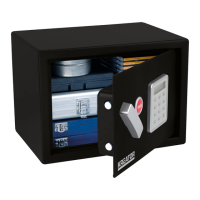
Kreator KRT692010 Specifications

General IconGeneral
BrandKreator
ModelKRT692010
CategorySafes
LanguageEnglish