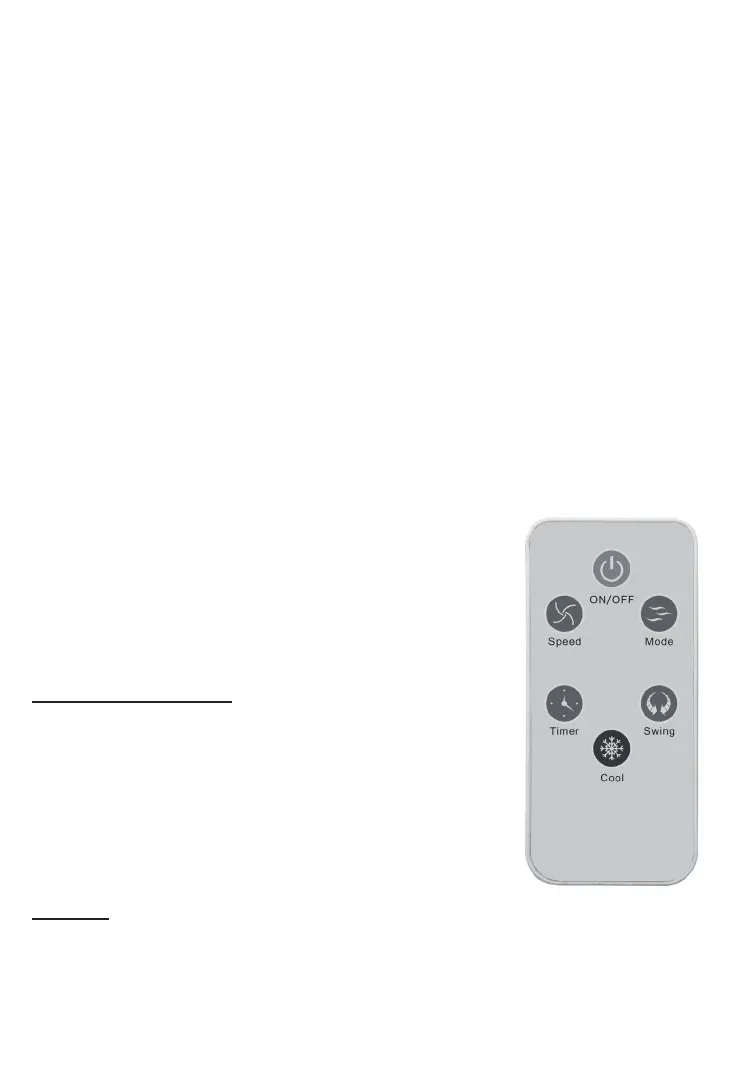
Cool/Humidier key:
Press this key when adding water or ice. Wait 20 seconds, the indicator will light on.
Swing key:
The air will be oscillate from le to right and the indicator will light on.
Timer:
You can select from 0.5 to 7.5 hours. Press once for adding 0.5 hours to the seng me.
Mode key:
Use this buon to select the type of air rotaon: “Normal Wind”, “Natural Wind’ or
“Sleeping Wind”.
*Choose normal wind when the environmental humidity is too high.
ON/OFF (Stand-by) key:
“ON” for starng the unit
“OFF” to stop the unit (it will be in Stand-by). Press again to power o.
REMOTE CONTROL
- Please pull out the plasc piece when you want to use it for
the rst me.
- Do not deviate the control more than 30 degrees.
- lf you do not use remove control, please pull out the baery
For changing the baery:
Open the baery cover at the back of the remote control and
install two AAA baeries (please look at the picture as follow).
ADDING WATER
Open the cover on the le of the unit and then add clean wa-
ter into the water tank.
Important:
- Observe the water level through the water level indicator on the front of the unit when
adding water.
- Do not ll water above the red line.
- Please close the cove when nish adding water, otherwise the unit will not work.


 To Next Page