BLUETOOTH OPERATION
1.Turnonthedevice,pressthe"MODE"buonontheremotecontroloronthefront
panelandswitchtoBluetoothinputmode.
2.Findthenameofthedeviceonyourmobilephoneorotherdevicesandpairit.The
unitemitsatonewhentheconneconhasbeencorrectlyestablished.
3.Playmusiconyourmobilephoneorotherdeviceforbeingheardonthespeaker.
4.TodisconnectBluetooth,turnotheBluetoothonyourmobilephoneorotherdevice
orchangethespeakerplaybackmode.
OTHER PLAYBACK MODES
1.Turnontheunit,connecttosoundsourcesandplay.
2.lnsertanUSB/TFcardtoreadaudiotracks;presstheMODEkeytoselectUSB/TFinput.
3.WhenusingtheKARAOKEmode,pleaseplugyourwiredmicrophonecableintothe
frontpanelorturnonthewirelessmicrophone,andadjusttheMicvolume.
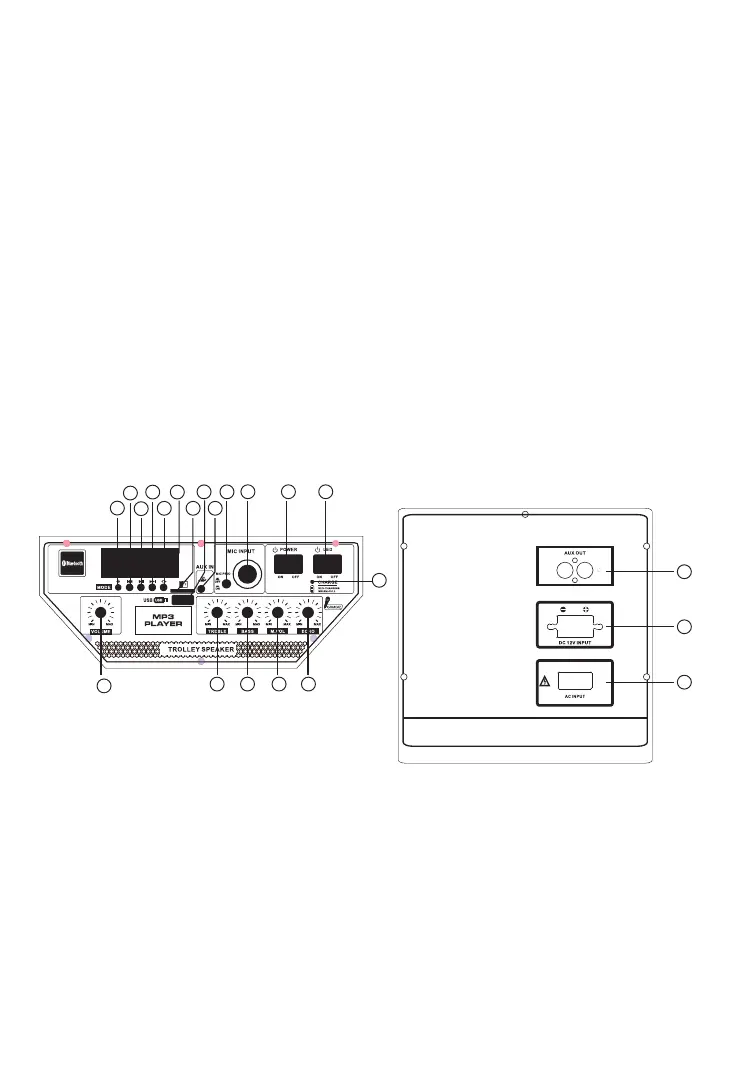
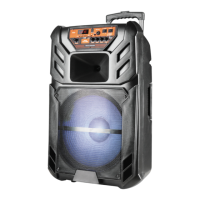
PANEL AND BACK PANEL FUNCTIONS
1.Mode(toselectinputsignalsource)
2.Previoussong
3.Play/Pausesong
4.Nextsong
5.Repeatsong
6.Displayscreen
7.TFcardjack
8.USBjack
9.Auxin
10.MICPriorityswitch
22
21
20
100 -240V ~ 50/60 Hz
1
2
3
4
5
6
7
8
9
10
11 12 13
19
18 17 16 15
14


 To Next Page