Need help?
Do you have a question about the KRK V SERIES 2 and is the answer not in the manual?
Essential precautions to prevent electric shock, fire, and damage, including proper usage and handling.
Guidelines for safely grounding outdoor antennas and securing the unit to prevent hazards.
Congratulates the user on their purchase and introduces the V Series II monitors' features and benefits.
Explains the importance of smooth response across frequencies for a musical and accurate sound.
Discusses minimizing distortion from amplifier circuits and physical conditions like port turbulence.
Highlights the role of minimizing driver and enclosure resonance for performance.
Describes the use of active filters for seamless integration of driver components.
Details the audiophile-grade components and balanced power for transparency and driver matching.
Explains the construction using inert MDF and internal bracing to minimize cabinet resonance.
Highlights the benefit of radiused edges for reducing diffraction and improving imaging.
Discusses how slotted ports reduce turbulence and distortion compared to round ports.
Details the woven Kevlar woofer and soft dome tweeter designed for accuracy and power handling.
Explains the transparent limiter circuit and how to engage or defeat it for driver protection.
Adjusts input sensitivity from -30dB to +6dB for balancing levels in surround systems.
A 3-position toggle switch for +1dB, Flat, or -1dB shelving above 1 kHz for room acoustics.
A 3-position toggle switch for low-frequency turnover at 45Hz, 50Hz, or 65Hz.
Controls the clip LED and engages the limiter circuit to prevent distortion and driver damage.
Outlines the correct order for connecting and powering on equipment, including the V8 monitors.
Explains the feature that automatically powers the speaker on with a signal and off after silence.
Details the balanced XLR/1/4" TRS combo connector, including pinout and unbalanced connection.
Guidelines for optimal monitor placement in stereo, 2-channel, and surround sound setups.
Details on close-field placement for control rooms, forming an equilateral triangle with the listening position.
Describes placement for larger monitors, offering potential for a larger sweet spot and better spatial imaging.
Guidance on locating subwoofers for optimal bass response and phase alignment with main monitors.
Details specific angles and positions for front, surround, and subwoofer channels in a 5.1 system.
Instructions on using SYSTEM GAIN pots and an SPL meter to balance levels across all channels.
Steps to diagnose and resolve issues when the monitor does not power on, checking cords and fuses.
Troubleshooting steps for when no audio signal is heard, checking connections, gain, and source levels.
Addresses the monitor stopping unexpectedly, possibly due to overheating and protection circuitry.
Diagnosing issues related to sound quality, including driver faults and electronic problems.
Solutions for eliminating unwanted noises like hiss or hum, checking connections and grounding.
Instructions for returning units for repair, including obtaining an RMA number and proper packaging.
Guidance on using original packaging, insuring shipments, and purchasing replacement materials.
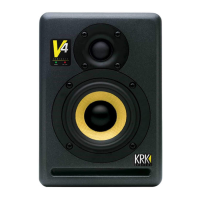
Detailed specifications for V4, V6, and V8 powered studio monitors, including drivers and input types.
Covers amplification, frequency response, sensitivity, maximum SPL, and impedance for the monitor series.
Provides dimensions and shipping weight for each V Series II monitor model.
 General
| Configuration | 2-Way |
|---|---|
| HF Driver Size | 1 inch |
| Tweeter Size | 1 inch |
| Type | Studio Monitor |
| LF Driver Size | 5 inch |
| Woofer Size | 5 inch |
| Input Connectors | XLR, TRS, RCA |
| Amplifier Power (Woofer) | 50W |

 To Next Page