09
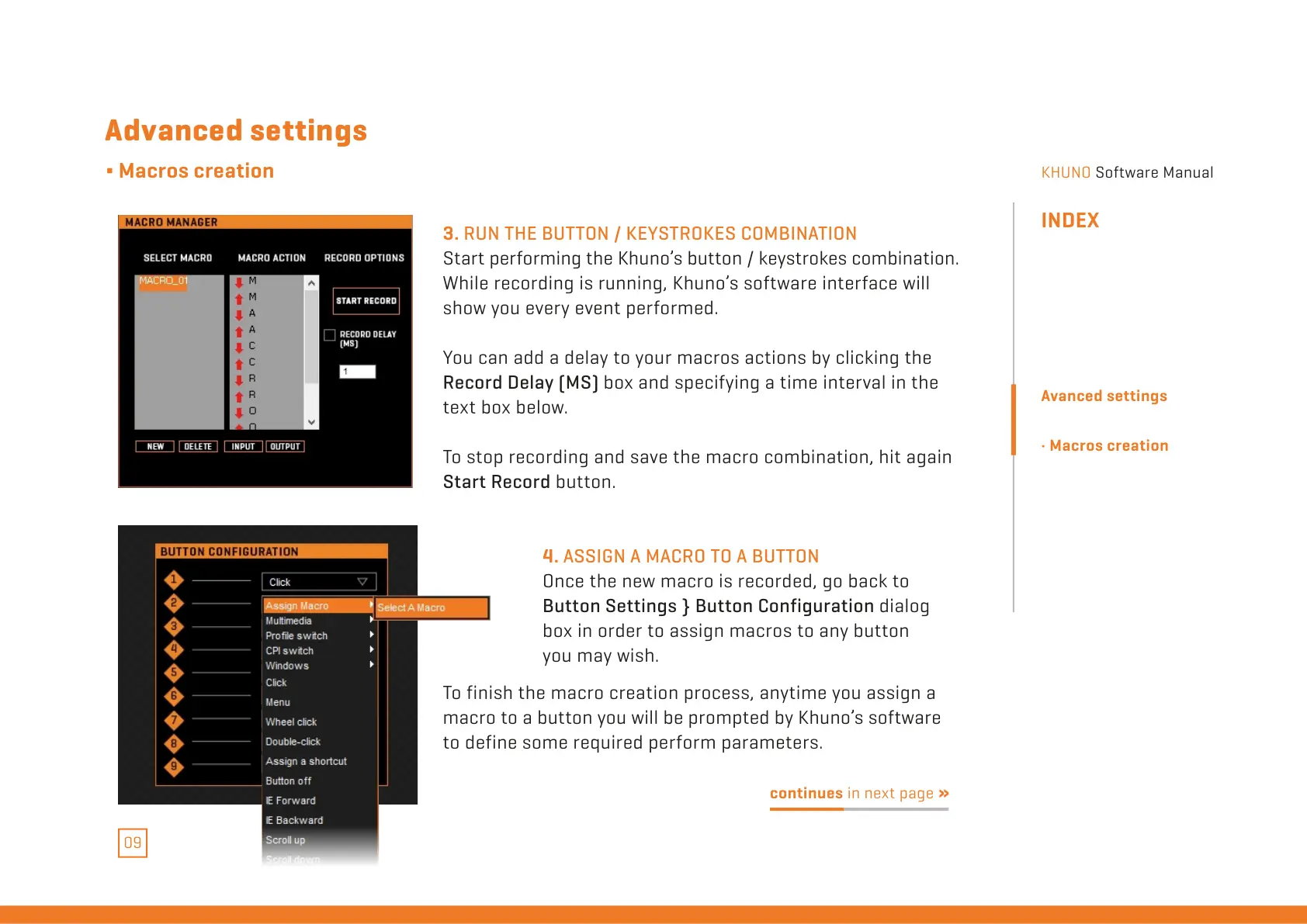
3. RUN THE BUTTON / KEYSTROKES COMBINATION
Start performing the Khuno’s button / keystrokes combination.
While recording is running, Khuno’s software interface will
show you every event performed.
You can add a delay to your macros actions by clicking the
Record Delay (MS) box and specifying a time interval in the
text box below.
To stop recording and save the macro combination, hit again
Start Record button.
4. ASSIGN A MACRO TO A BUTTON
Once the new macro is recorded, go back to
Button Settings } Button Configuration dialog
box in order to assign macros to any button
you may wish.
Advanced settings
∆ Macros creation
continues in next page »
To finish the macro creation process, anytime you assign a
macro to a button you will be prompted by Khuno’s software
to define some required perform parameters.
INDEX
Avanced settings
· Macros creation
All manuals and user guides at all-guides.com



 To Next Page