12
Click and see
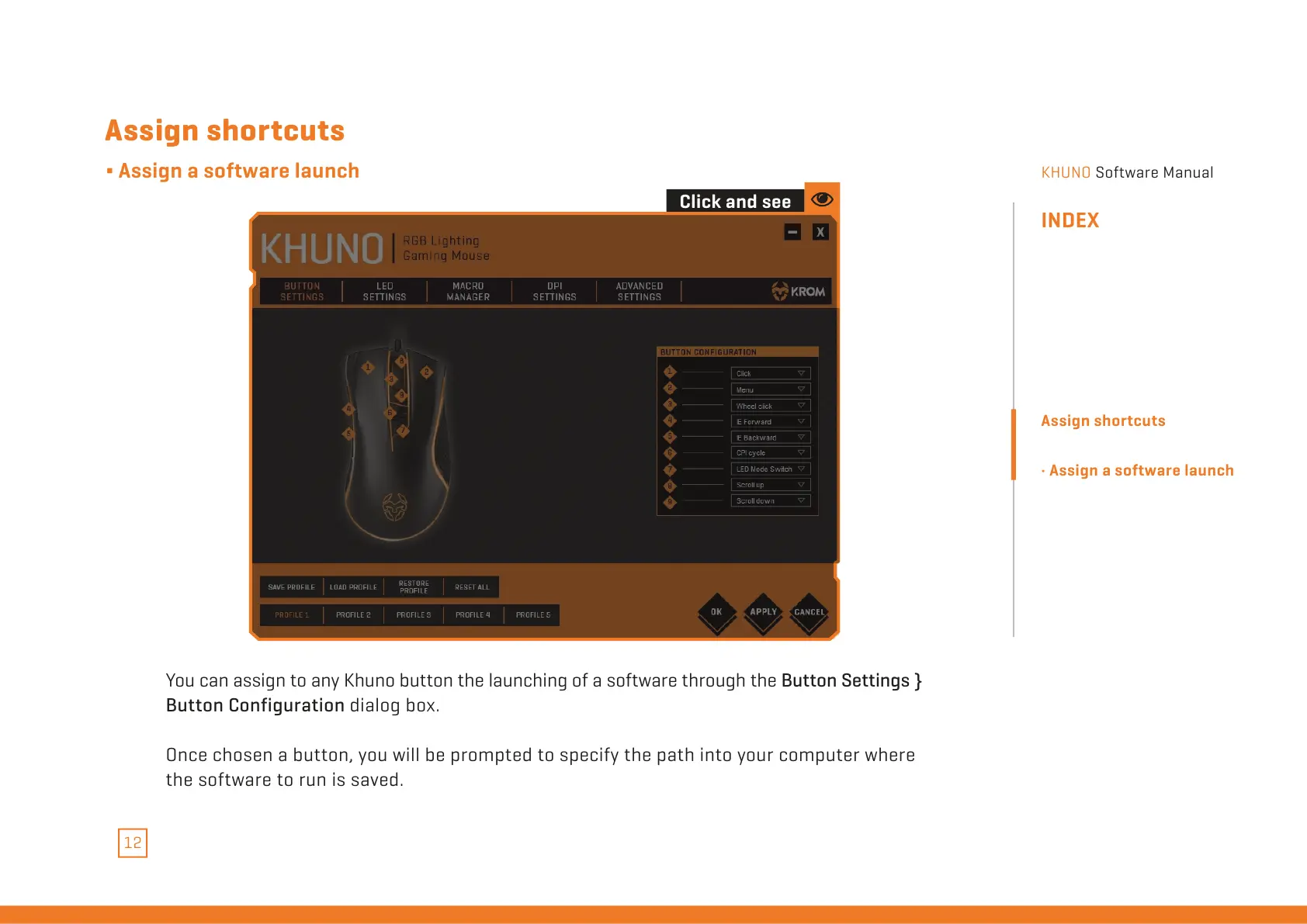
You can assign to any Khuno button the launching of a software through the Button Settings }
Button Configuration dialog box.
Once chosen a button, you will be prompted to specify the path into your computer where
the software to run is saved.
Assign shortcuts
∆ Assign a software launch
INDEX
Assign shortcuts
· Assign a software launch
All manuals and user guides at all-guides.com


 To Next Page