04
Button settings
∆ Assign advanced functions
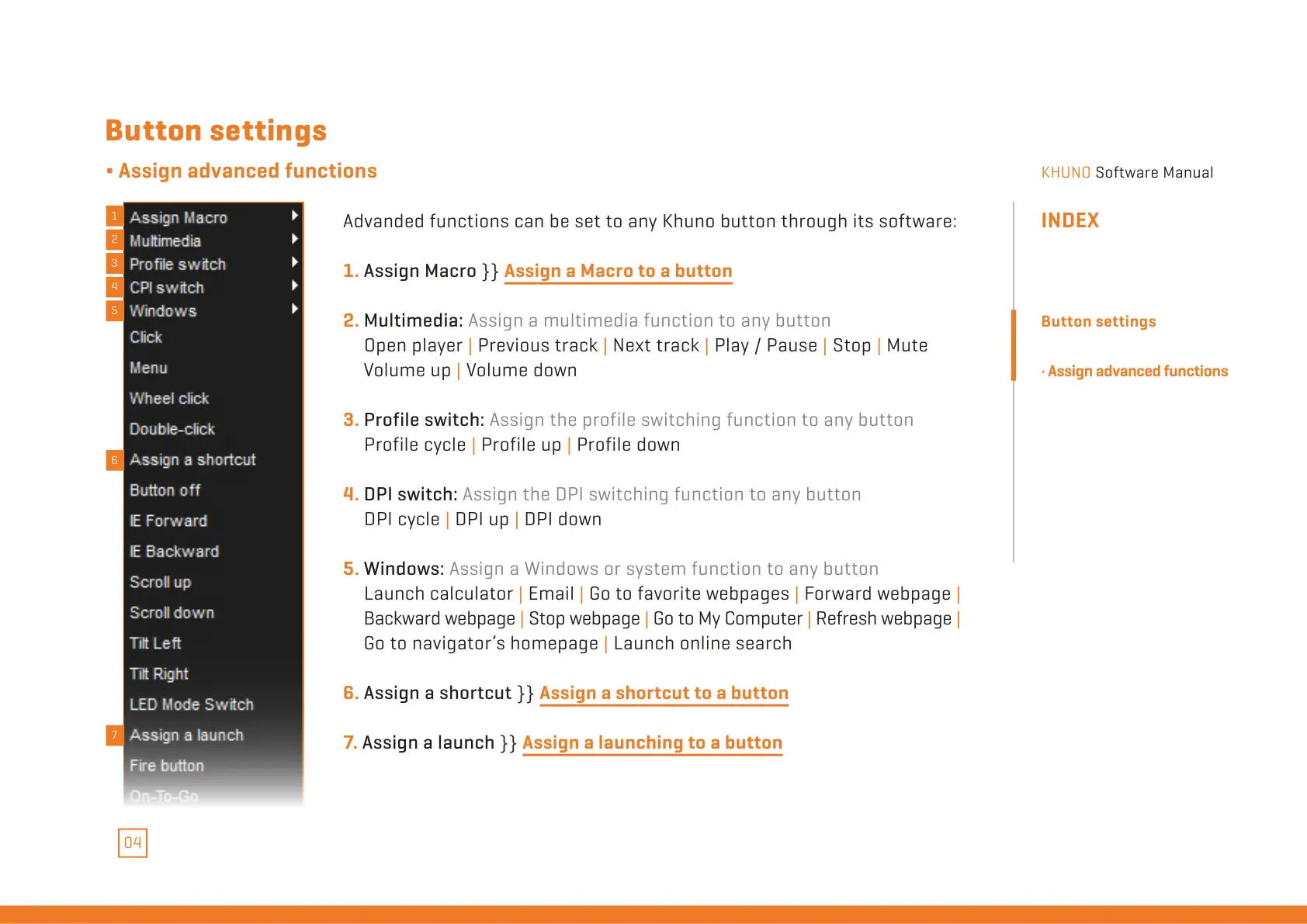
Advanded functions can be set to any Khuno button through its software:
1. Assign Macro }} Assign a Macro to a button
2. Multimedia: Assign a multimedia function to any button
Open player | Previous track | Next track | Play / Pause | Stop | Mute
Volume up | Volume down
3. Profile switch: Assign the profile switching function to any button
Profile cycle | Profile up | Profile down
4. DPI switch: Assign the DPI switching function to any button
DPI cycle | DPI up | DPI down
5. Windows: Assign a Windows or system function to any button
Launch calculator | Email | Go to favorite webpages | Forward webpage |
Backward webpage | Stop webpage | Go to My Computer | Refresh webpage |
Go to navigator’s homepage | Launch online search
6. Assign a shortcut }} Assign a shortcut to a button
7. Assign a launch }} Assign a launching to a button
INDEX
Button settings
· Assign advanced functions
1
2
3
4
5
6
7
All manuals and user guides at all-guides.com



 To Next Page