EasyManua.ls Logo

KROM KODE - Create a Custom Sound Profile

KROM KODE
12 pages
Print Icon
To Next Page IconTo Next Page
To Previous Page IconTo Previous Page
Loading...
04
Kode Software Manual
Graphic equalizer
Create a custom sound profile
INDEX
Graphic equalizer
· Create a custom sound
profile
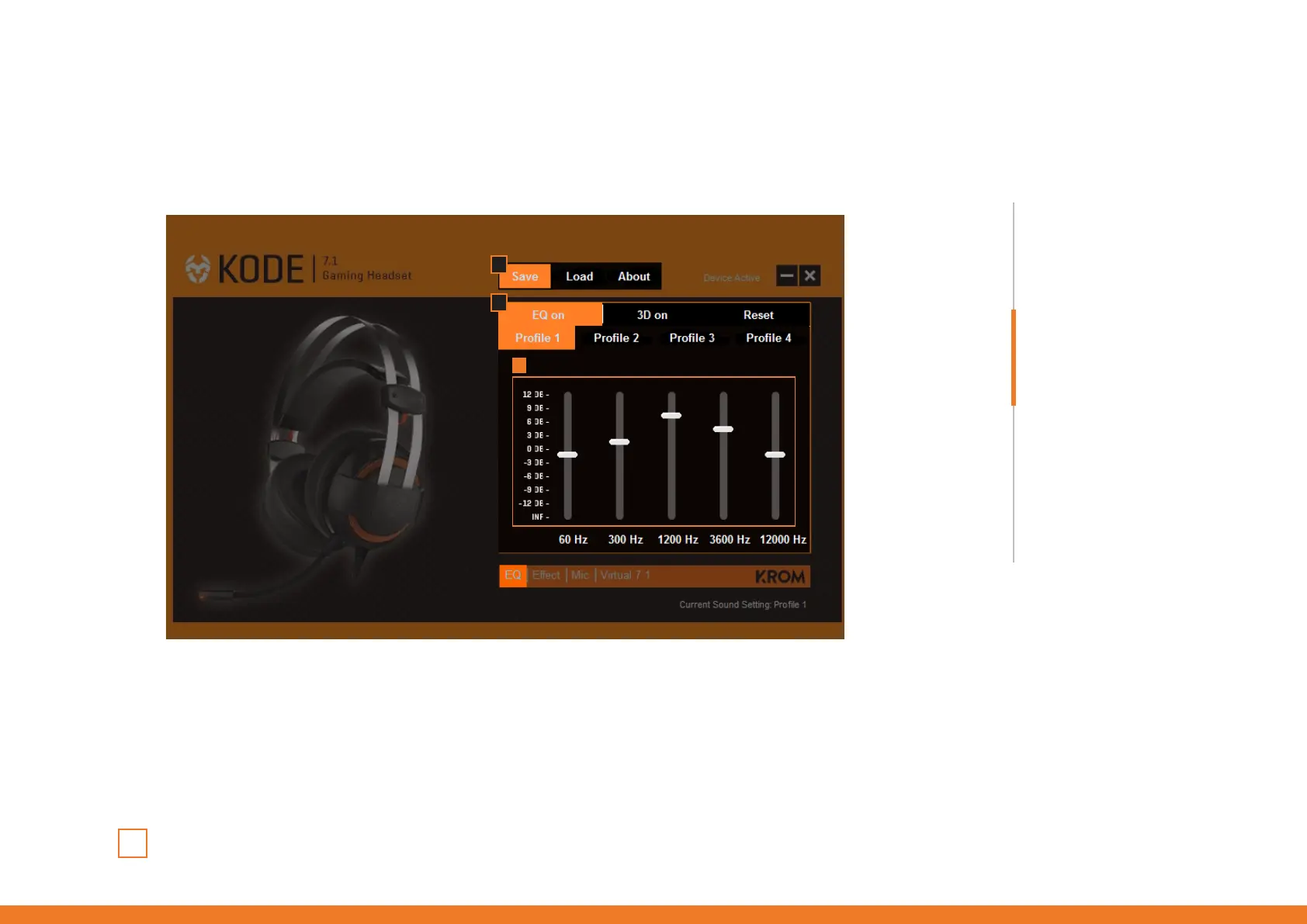
1. EQ ON Enable this function to be able to create and save your custom sound profile.
2. Sound profile equalization Adjust sound levels as you like through Kode’s graphic equalizer.
3. Save Click Save and choose a path into your computer to save your new custom sound
profile. You can create and save as many as you like.
2
3
1
· Main functions
System requirements
Software installation
Environmental effects
Microphone
Virtual 7.1 soundscene
Warranty
Technical specification
· Load a custom sound
profile

Other manuals for KROM KODE

Related product manuals