08
Kode Software Manual
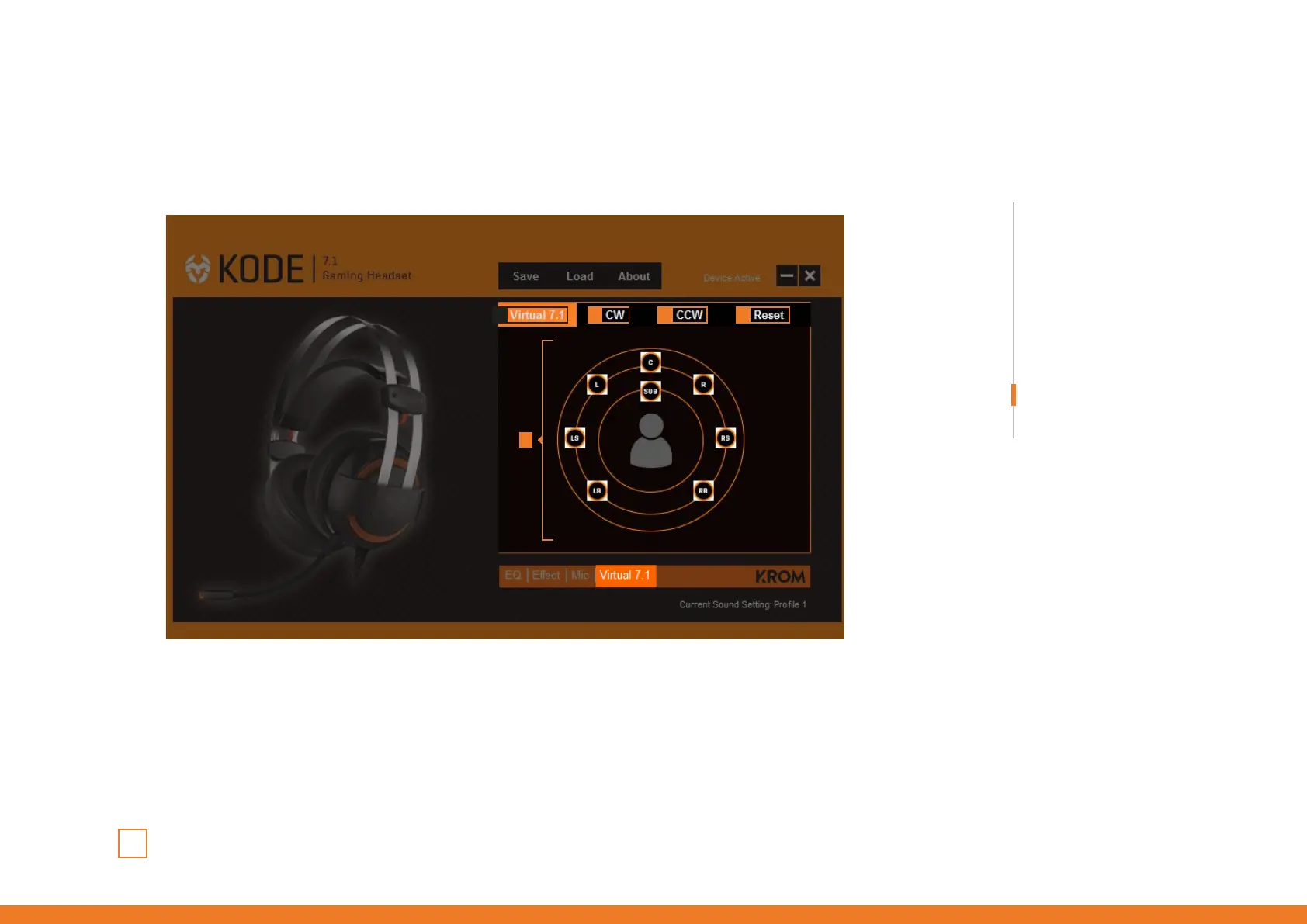
Virtual 7.1 soundscene
INDEX
Virtual 7.1 soundscene
1 3 4 5
1. Virtual 7.1 soundscene ON Enable this function to run and to be able to customize
Kode’s virtual 7.1 soundscene.
2. Soundscene speakers Pick and move each speaker to recreate the soundscene that suits you.
3. CW Rotates soundscene in a counterclockwise direction.
4. CWW Rotates soundscene in a clockwise direction.
5. Reset Press to reset Kode’s virtual 7.1 soundscene to default.
2



 To Next Page