4 5
Box contents
• Immerse 75 Active Noise Cancelling (ANC) Wireless Headphones
• Micro USB to 3.5 mm audio cable
• Micro USB charge cable
• User manual
• Carry pouch
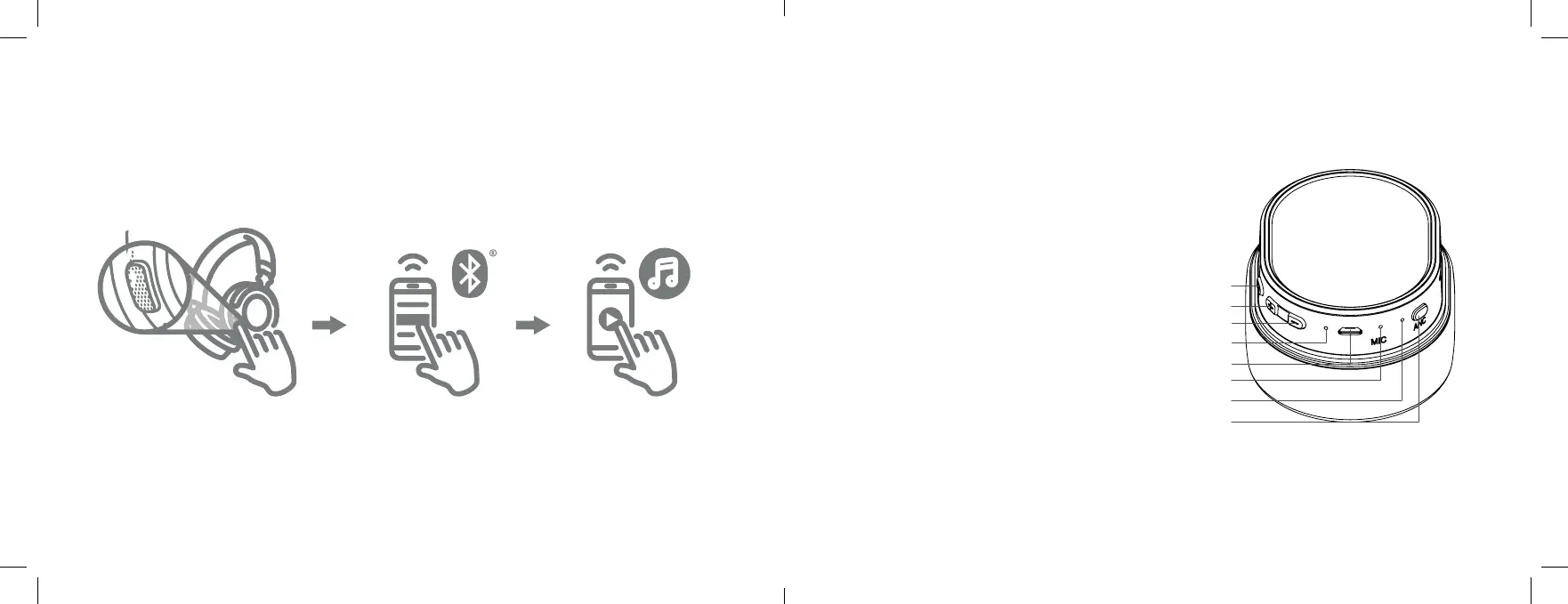
Functions
1. MFB (Multi-function Button)
2. Volume+/Next Track
3. Volume–/Previous Track
4. LED Indicator
5. Micro USB Charging Port
6. Microphone
7. ANC LED
8. ANC Button
Getting started
1. Press and hold for 4 seconds
2. Connect to ‘KS Immerse 75’
3. Play your music
1
4
2
3
5
6
7
8
Note: For the purposes of this manual, “ANC” is shorthand for “Active Noise Cancelling”.
Further information is provided in the following pages of this manual.



 To Next Page