ENGLISH - USER MANUAL
Urban 5 mini smartwatch - BXSW23X
1. Characteristics
1.1 Technical specifications
Display: 1.75” AMOLED multi-touch 390 x 450
Battery: 180 mAh
Voltage frequency: 5V / 500KHZ+-6HZ
Frequency range: 2402-2480 MHz
Maximum transmitted power in frequency ranges: 9 dBm
Compatibility: Android 5.1 / iOS 12.0 and later versions
App: Smart-Time Pro
Housing material: Zinc alloy
Display material: Tempered Glass
Strap material: Silicone and steel
Protection rating: IP67
Watch dimensions: 41.14 x 34.94 x 11.10 mm
Strap width: 41mm
Apple® compatible straps: 38/40/41mm
Wrist closure diameter: 15 to 19 cm
Weight: 44.9 g
Autonomy: Up to 5 days in normal use, Up to 1.5 days in
intensive use
Charging time: 3 hours
Languages: English, Spanish, French, German, Italian,
Portuguese, Dutch, Polish, Hungarian, Greek, Czech, Slovak,
Danish, Norwegian, Swedish, Finnish, Turkish, Japanese,
Chinese, Serbian, Hindi, Vietnamese, Arabic, Indonesian,
Romanian, Bulgarian, etc.
1.2 In the box
1 x Smartwatch
1 x USB-A cable with wireless charging base (60 cm)
1 x User Manual
1.3 Diagram
1.4 How to attach and remove the straps
The straps of the Urban 5 Mini are interchangeable. The
shorter strap must be placed in the display’s top slot, while
the longer strap must be placed in the display’s bottom slot.
Otherwise, the insertion system may be irreparably
damaged.
- To remove a strap: Hold the strap, press the button on the
back of the watch that corresponds to that strap and slide it
to the left.
- To insert a strap: Hold the strap and then slide it to the right
until the strap is fully inserted into the watch body.

 Need help?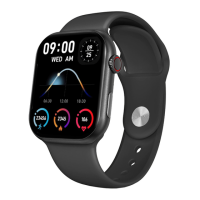

 To Next Page
 General