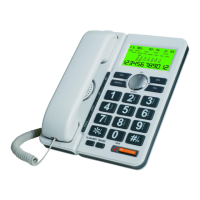
5. 10 Two-touch Fast-Dialing Memories
5.1 Store 10 Two-Touch Fast-dialing Memories:
On on-hook state, input the numbers, then press SET , then
press the number 0-9 to store the nubmers. On off-hook state,
press SET key, then input the numbers, press SET key again,
then press the number 0~9 to store the numbers.
5.2 Recall Two-Touch Memories:
On off-hook state, press RECALL key, then press the
number 0~9 to dial the store number automatically. On
on-hook state, press RECALL key, then press the number
0~9 to show the store number, then press REDIAL to dial
the store numbers automatically.
6. Caller ID service
6.1 When there is an incoming call, date, time and the caller’s
phone number will show on the LCD.
6.2 Date and time shown on display is provided by local
telecommunication company service. If the call is received
from a different time zone, the LCD will still shows the
local time.
Note: The caller’s phone number will not be displayed under the
following Conditions:
a) The call is made through telephone company which does not
offer caller ID service (including long distance call or
international call). In this case, “outside” (out of area)
indicator shows on the LCD.
b) The call is blocked for privacy reason. In this case, LCD
show “pri”.
c) An error date is received , LCD shows “error”, that means
the number may include some wrong digits.
7. How to view the caller ID list
7.1 There is an automatic storage function for the caller’s data,
including those calls had never been answered.
7.2 The caller’s number can be viewed even during talking.
15


 To Next Page
 Loading...