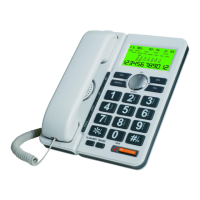
13. IDD lock
13.1 This phone allows a restrict in use lock
13.2 Insert the key and turns to :
(a)Position 1 (Factory Default Setting)
– All numbers could be dialed
(b)Position 2 – Numbers with first digit “ 0” is locked.
(c)Position 3 – All numbers are locked.
14. Calculator (Optional)
You can use this phone as a 10-digits Calculator.
14.1 Press CAL button once, the LCD display:
0
12.2 You can start to use this phone as a 10-digits calculator.
- Press Number Keypad To input digits
- Press OUT/x Multiply function
- Press SET/÷ Divide function
- Press DOWN/+ Plus function
- Press UP/- Minus function
- Press * / . Decimal
- Press # / = Calculate the result
- Press CAL Twice Clear all input data
15. One-touch Fast-Dialing Memories (Optional)
15.1 Store One-Touch Fast-dialing Memories:
On on-hook state, input the numbers, then press SET , then
press M1 or M2 to store the nubmers. On off-hook state,
press SET key, then input the numbers, press SET key again,
then press M1 or M2 to store the numbers.
15.2 Recall One-Touch Memories:
On off-hook state, press M1 or M2 key to dial the stored
number automatically. On on-hook state, press M1 or M2 to
show the stored number, then press RD/ARD to dial the
stored numbers automatically.
17


 To Previous Page
 Loading...