TV Buttons and Terminal Interface
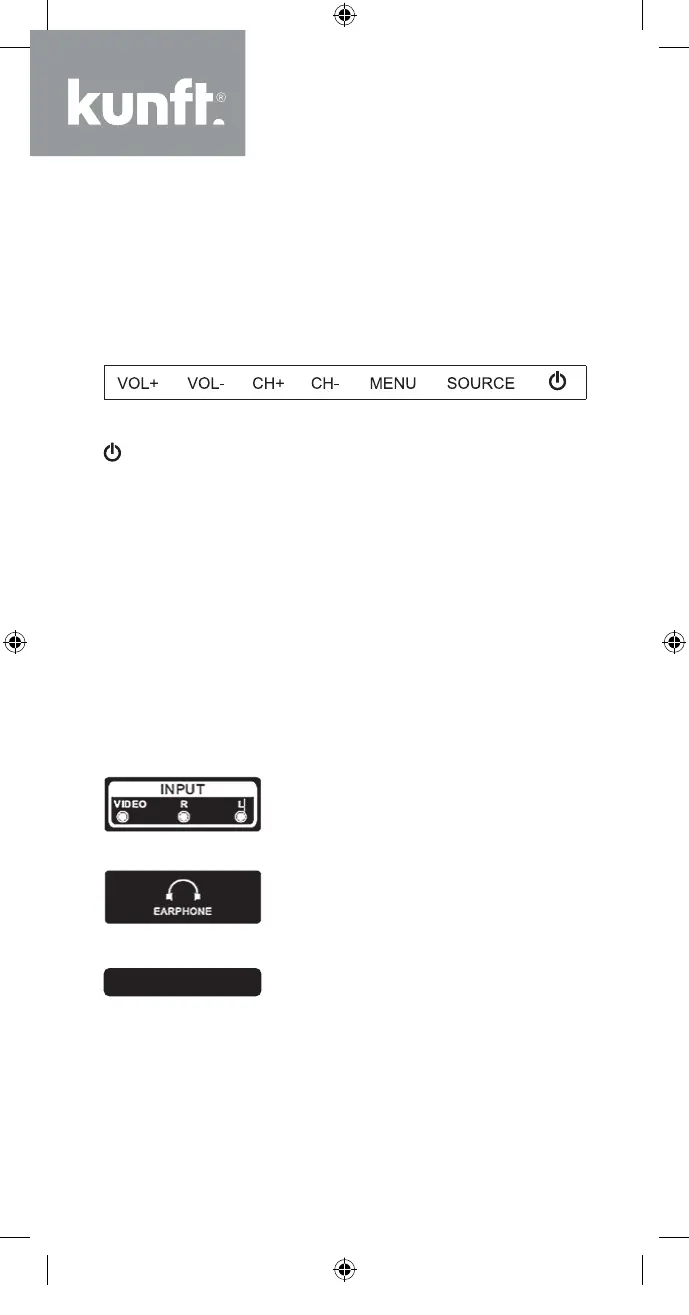
TV Buttons
Note: The following is only a functional schematic
and the actual position and arrangement may dif-
fer on dierent models.
: Turn ON/OFF Power.
SOURCE: External Signal Input Selection.
MENU: Displays Main MENU and Confirms MENU
Item Selection.
CH+/-: Selects Channel.
VOL+/-: Adjusts Volume.
Terminal Interface
Note: The following are the various terminal inter-
faces, the actual position and arrangement, the
number of dierent models may vary.
AV input
External AV Signal Input and Rel-
evant Right/Left Sound Channel
EARPHONE output
When the earphones are plugged
in, the speakers are disabled
CI
CI input
The card reader input CI (Com-
mon Interface) requires a CAM
(conditional access module)
used for pay TV.
12
K5128X22F User manual.indb 12K5128X22F User manual.indb 12 2020. 02. 12. 15:57:462020. 02. 12. 15:57:46


 To Next Page